4.
5. For larger tanks, a salt scale
19024.
Important Note: When you exit the
Customer Settings, the computer
will automatically save any
changes that have occurred.
Customer Settings
The Customer Settings mode allows access to a variety of program-
ming options:
Salt Level: This function sets the level of salt in the salt tank.
Vacation Mode: This function puts the system into hibernation while
you are on vacation or gone for extended period of time.
Salt Alarm: This function sets the audio and visual alarms to be active
and the time they will sound or inactive with no sound.
Time of Day: This function sets the current time of day.
Current Day: This function sets the current day of the week.
Current Date: This function sets the current date by month/day/year.
Auto Daylight Savings Time: This function allows the computer to
automatically adjust for daylight savings time in applicable areas.
Time of Regeneration: This function sets the time of day (only on the
hour) that the computer will regenerate the system, based on the
parameters set.
To access these programming options, please follow the directions
listed below.
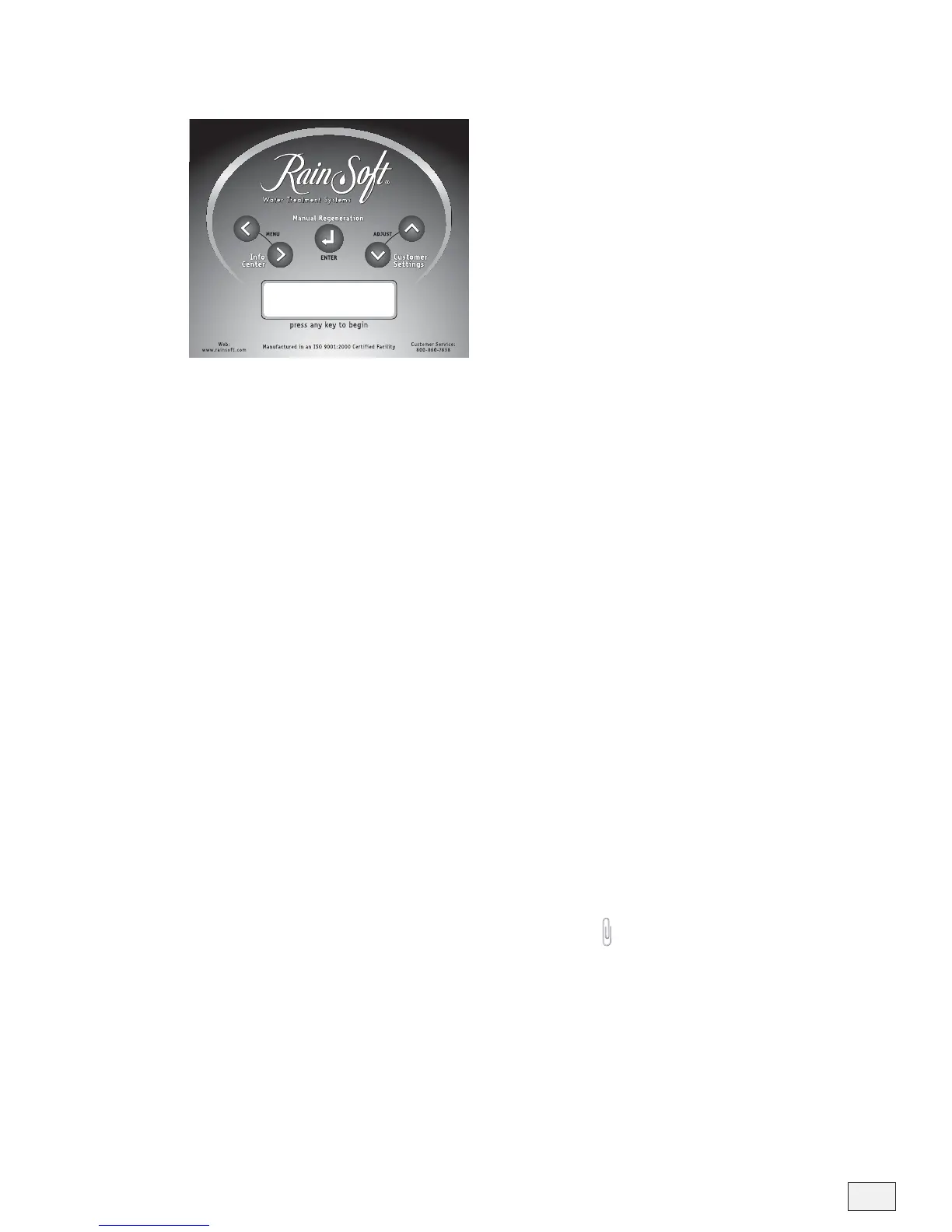
If the display is not lit, press any key to begin. When the display is lit,
press the Customer Settings key. Use the Menu Forward and Menu
Back keys to scroll to the parameter you wish to set or change. To exit
the Customer Settings function at any time, press the Enter key.
The computer will display: Salt Level
• Fill the salt tank (to level 4) with solar salt, block salt, or potassium
chloride.
• Use the Adjust Up and Adjust Down keys to change the amount of
salt to the level indicated on the salt tank scale (located on the side of
the salt tank).
The computer will display: Vacation Mode– OFF
• Use the Adjust Up or Adjust Down key to select “ON”.
• If you selected “ON”, press the Enter key. The computer will display:
Days Away – 2 Days.
• Use the Adjust Up and Adjust Down keys to change the number of
days away.
Important Notes: After setting the
vacation mode, the computer will
provide a 16 hour delay for your
convenience. If water use is
detected after the 16 hour delay,
the vacation mode is deactivated.
One day prior to the scheduled
return, the system will regenerate
at the normal regeneration time.
This feature will ensure a fresh
conditioner bed upon your arrival.



 To Next Page