WWW.RAISE3D.COM
AMERICA · ASIA · EUROPE
Filament Run-out Sensor Installation Guide
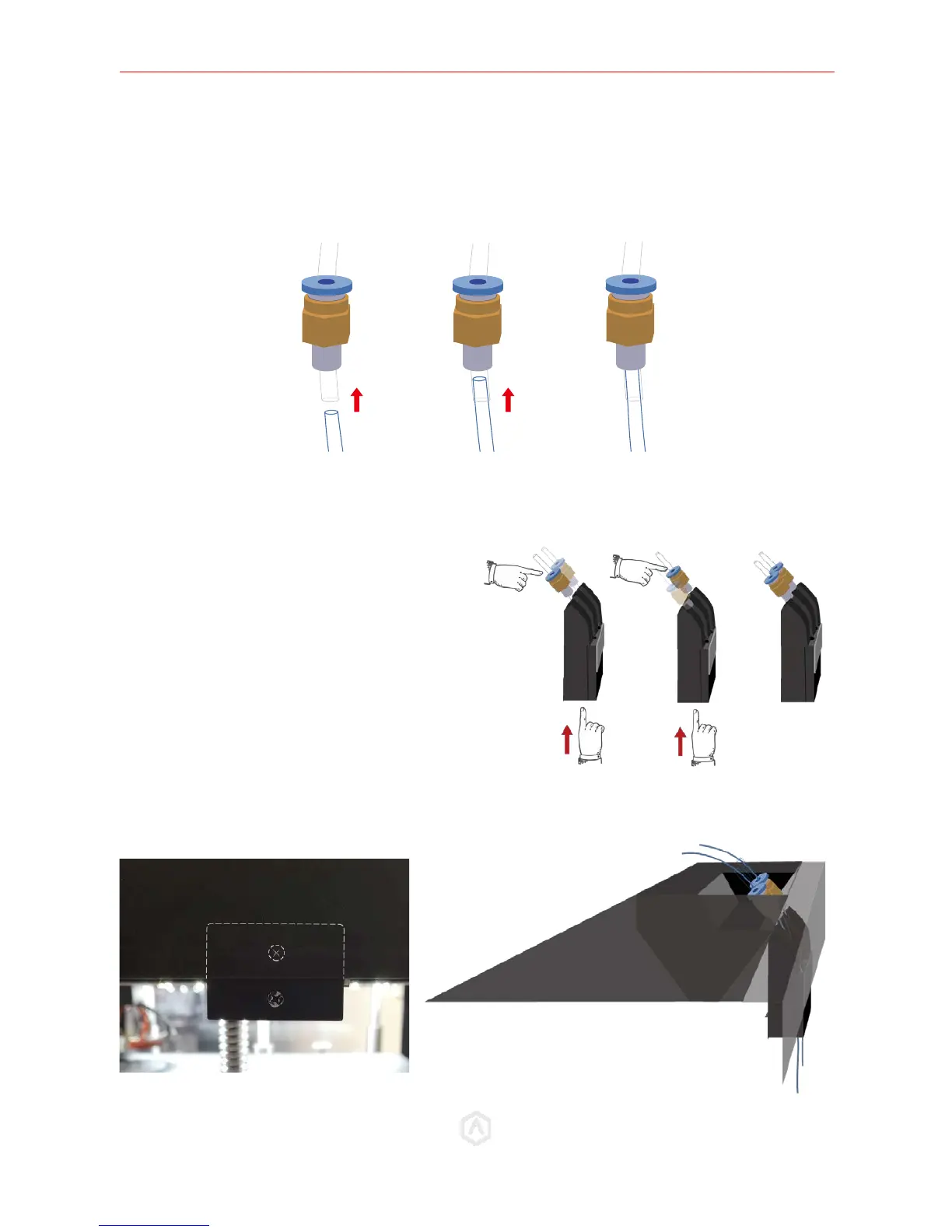
2) If the original Bowden Tubes on your printer are with 6mm-OD:
Keep the origin tubes and directly insert the new 4mm–OD tubes to pass through.
STEP 9: Install the Filament Run-Out Sensor
Adjust the height of the sensor until the top screw is hidden by the body of the printer, and the top of
the bottom screw lies flush along the panel.
Insert the Filament Guide Tubes into the two
holes located at the end of the guiding paths of
the plastic back cover. And fix the tubes into the
guiding paths.



 To Next Page