EasyManua.ls Logo

Rajant Corporation BreadCrumb LX4 - User Manual

Rajant Corporation BreadCrumb LX4
40 pages
Print Icon
To Next Page IconTo Next Page
Loading...
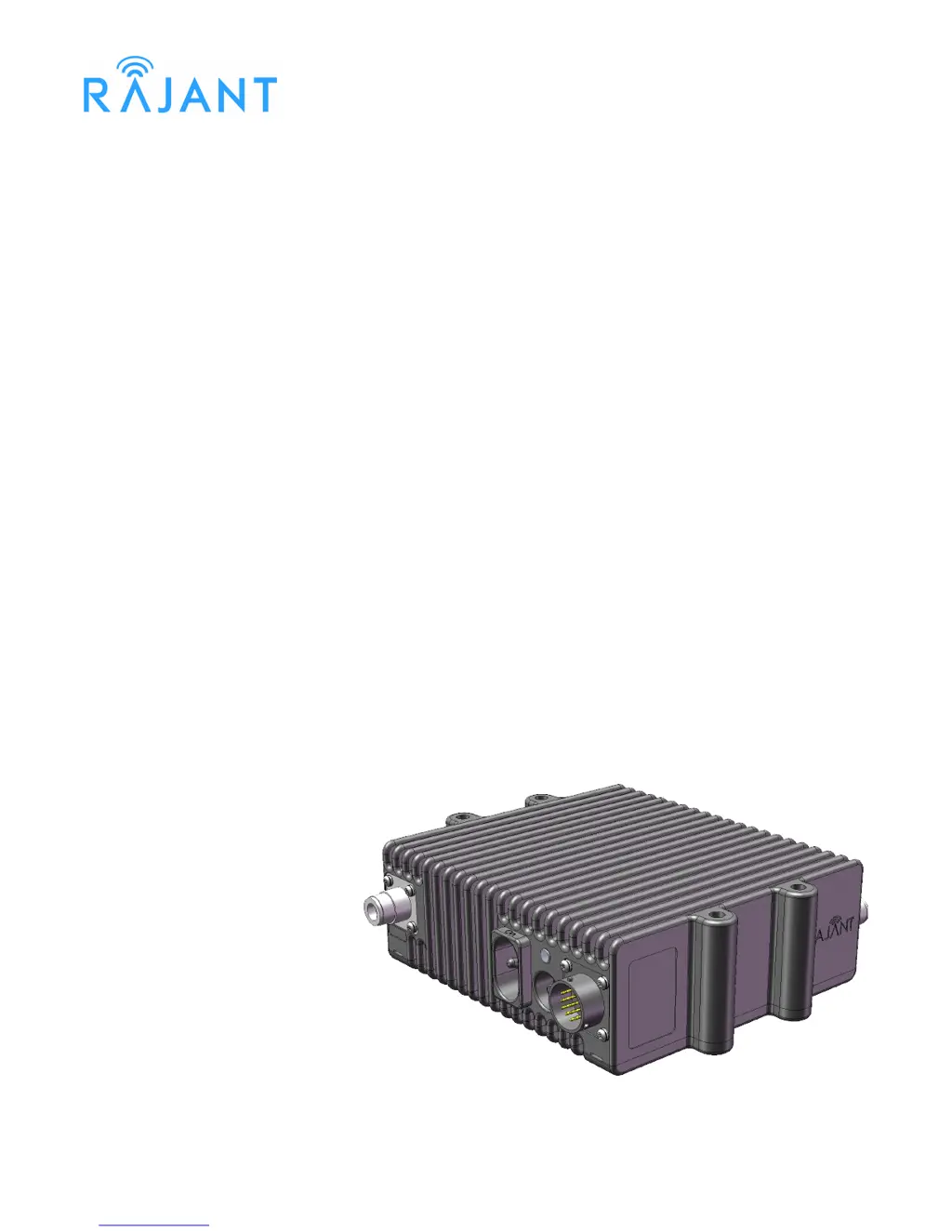
BreadCrumb
®
LX4
USER GUIDE
User Guide Version: 2.02
Software Version: 10.24
Date: June 21, 2011
Corporate Headquarters
Rajant Corporation
400 East King Street
Malvern, PA 19355
Tel: (484) 595-0233
Fax: (484) 595-0244
http://www.rajant.com
Document Part Number: 03-100117-001

Table of Contents

Questions and Answers

  • J
    josethomasAug 14, 2025
    How to connect a wireless client to Rajant Corporation Gateway?
    • S
      Steven MonroeAug 14, 2025
      To connect a wireless client, make sure the Rajant Corporation Gateway devices are powered on and the wireless card in your client device is enabled and in 'Infrastructure' or 'Access Point' mode. Scan for the correct ESSID using the software accompanying your wireless card. Also, verify that the wireless client’s IP address settings are configured properly, the security settings on the client device and Gateway devices match, the client device is not prevented from connecting by an ACL, and the VLAN settings for the Gateway allow clients of the ESSID being used to communicate to the Local Port of the Gateway.
  • P
    phillipsmatthewAug 17, 2025
    What to do if Rajant Corporation BreadCrumb LX4 Gateway wireless client loses connection when moving?
    • N
      Nicole JordanAug 18, 2025
      If a wireless client loses network connectivity when moving beyond the range of the Rajant Corporation Gateway network, deploy more BreadCrumb devices as necessary to increase the network's range.
  • A
    Andrew BlakeAug 21, 2025
    How to fix Rajant Corporation BreadCrumb LX4 Gateway that won't start due to Electrostatic Discharge?
    • J
      John SpenceAug 21, 2025
      If a Rajant Corporation Gateway fails to start due to electrostatic discharge, manually reboot the device by turning off or disconnecting power and then turning it back on. If the Gateway is powered by PoE, connect the powered Ethernet cable before applying power to avoid sparking and potential damage.
  • S
    Spencer SanfordAug 25, 2025
    Why does Rajant Corporation BreadCrumb LX4 Gateway connectivity become sporadic in fog or light rain?
    • R
      Robert JohnsonAug 25, 2025
      If light precipitation or fog causes sporadic network connectivity for your Rajant Corporation Gateway devices, increase the density of the network by adding more BreadCrumb devices or moving existing ones closer together.
  • S
    Sarah HuberAug 28, 2025
    What to do if Rajant Corporation Gateway JR fails to start after power cycling?
    • E
      Erin FritzAug 28, 2025
      If a Rajant Corporation Gateway JR fails to start after rapid power cycling, turn off the power to the device, wait at least 10 seconds, and then turn the power back on. The BreadCrumb should then start up normally.
  • J
    Jamie CollinsAug 30, 2025
    Why does Rajant Corporation Gateway JR fail to start when connecting a power source?
    • R
      riddlejohnnyAug 31, 2025
      If a Rajant Corporation Gateway JR fails to start when connecting a cable assembly with an active power source, disconnect the cable assembly, wait 10 seconds, and try reconnecting it more smoothly. Alternatively, try connecting the cable assembly to the BreadCrumb before connecting or applying power to the power supply.
  • D
    David LindseySep 3, 2025
    Why Rajant Corporation BreadCrumb LX4 Gateway connectivity is sporadic when battery is low?
    • R
      Robert NolanSep 3, 2025
      When a Rajant Corporation Gateway device's battery is low, network connectivity becomes sporadic. Monitor battery usage and charge or replace batteries as necessary.
  • G
    Gina ParkerSep 6, 2025
    What to do if Rajant Corporation Gateway doesn't connect with discharged batteries?
    • C
      Clayton ShawSep 6, 2025
      If the Rajant Corporation Gateway device appears to power up but cannot establish connectivity, ensure that the batteries are fully charged when deploying the BreadCrumb Wireless Network.
  • D
    darrell59Sep 10, 2025
    What to do if Rajant Corporation BreadCrumb LX4 doesn't work with discharged external batteries?
    • J
      Jerry LongSep 10, 2025
      Monitor battery usage and charge or replace discharged external batteries for Rajant Corporation Gateway.

Summary

2 Description of a BreadCrumb LX4

2.1 Radios

Details the radio types, supported frequency bands (900 MHz, 2.4 GHz, 4.9 GHz, 5 GHz), and channels.

2.4 19-Pin Amphenol Connector

Covers the 19-pin Amphenol connector, detailing its interfaces for power, Ethernet, and USB ports.

3 Using BC|Commander

BC|Commander Overview

Introduces BC|Commander software for monitoring, configuring, and visualizing BreadCrumb networks.

4 Deploying the BreadCrumb Wireless Network

4.3 Physical Placement and other Considerations

Discusses environmental factors impacting performance: LOS, distance, weather, and interference.

4.4 Deployment Guidelines and Methodology

Provides practical on-site deployment guidelines and methodology for successful BCWN setup.

5 BreadCrumb LX4 Firmware Upgrade

6 Troubleshooting

6.1 Sporadic Network Connectivity

Addresses common issues causing intermittent network connectivity problems and their solutions.

Rajant Corporation BreadCrumb LX4 Specifications

General IconGeneral
BrandRajant Corporation
ModelBreadCrumb LX4
CategoryGateway
LanguageEnglish