-
28 -
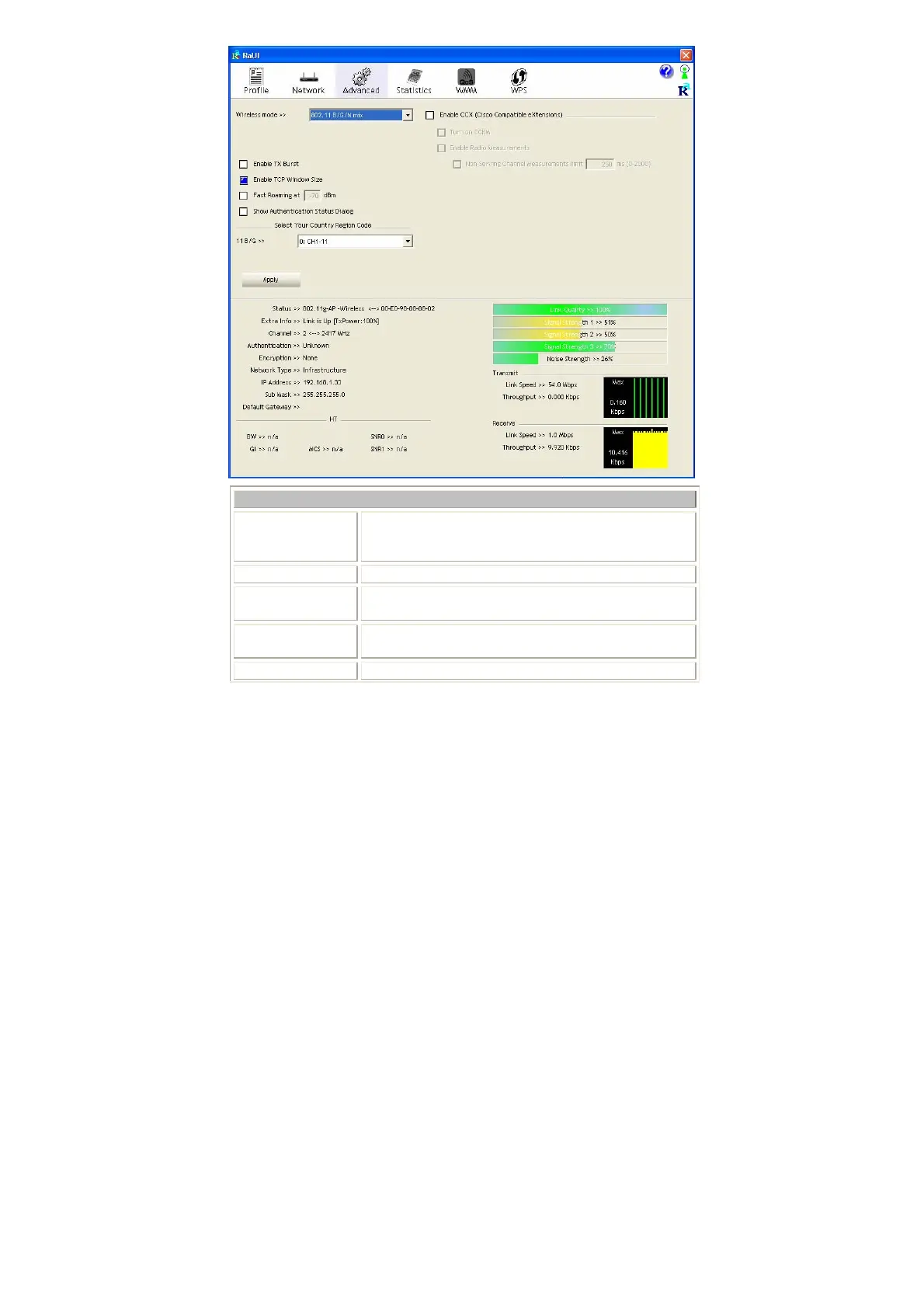
Advanced Tab
Wireless mode
Select wireless mode. There are 802.11b/g/n mixed,
802.11b only and 802.11b/g mixed modes are supported.
Default mode is 802.11b/g/n mixed.
Enable Tx Burst
Check to enable the burst mode.
Enable TCP
Window Size
Check to increase the transmission quality.
Fast Roaming at
Check to set the roaming interval, fast to roaming, setup
by transmits power.
Show
When you connect AP with authentication, choose


 To Next Page