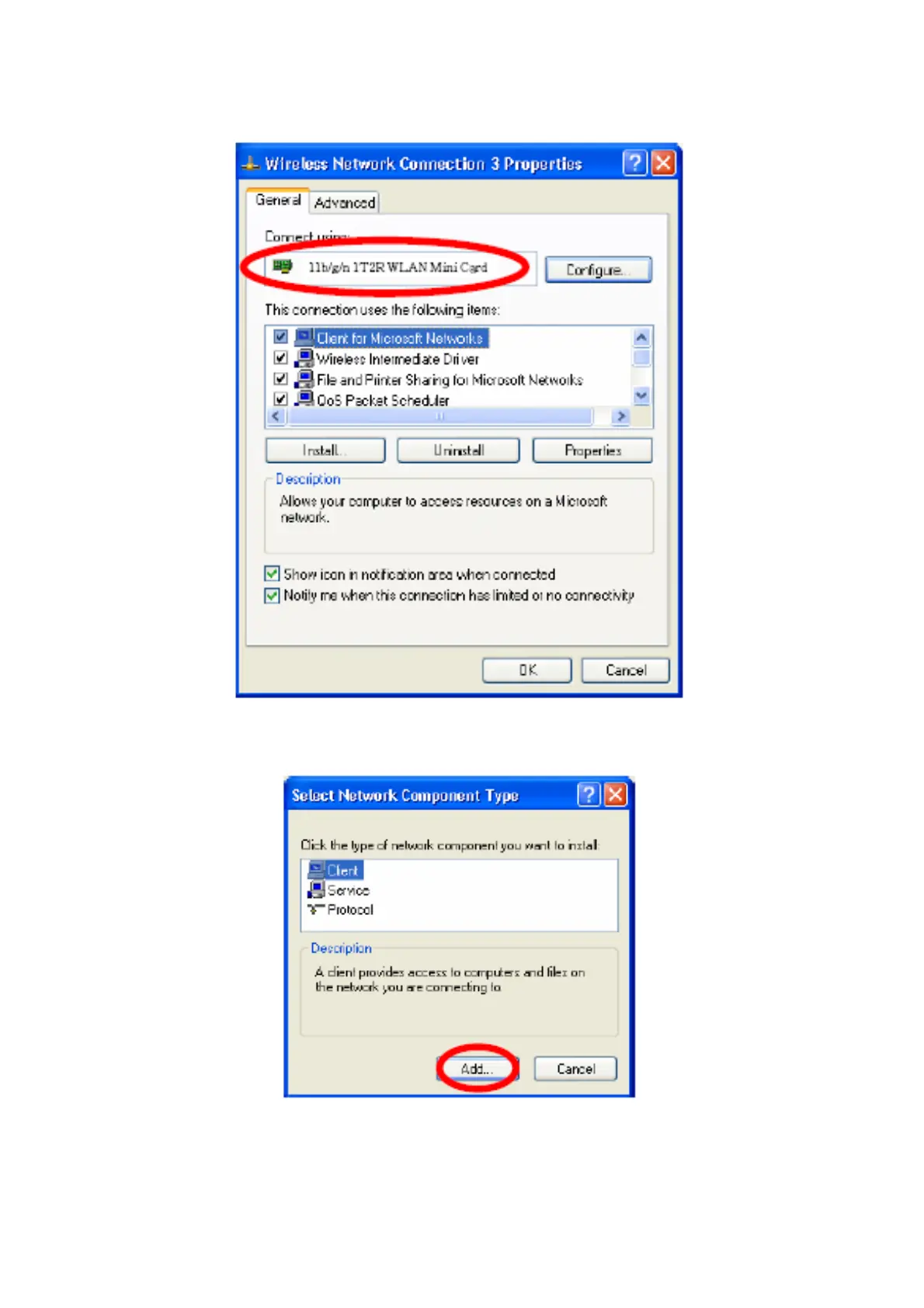
2. Make sure that all the required components are installed.
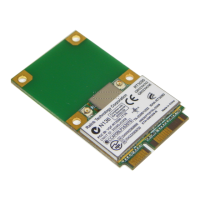
3. If any components are missing, click on the Install… button to select the Client/Service/Protocol
required. After selecting the component you need, click Add… to add it in.
4. For making your computer visible on the network, make sure you have installed File and Printer Sharing
for Microsoft Networks.


 To Next Page