NETWORK CONNECTION
Once the device driver is well installed, a network setting described in the following should be also
established.
In Windows 2000/ XP
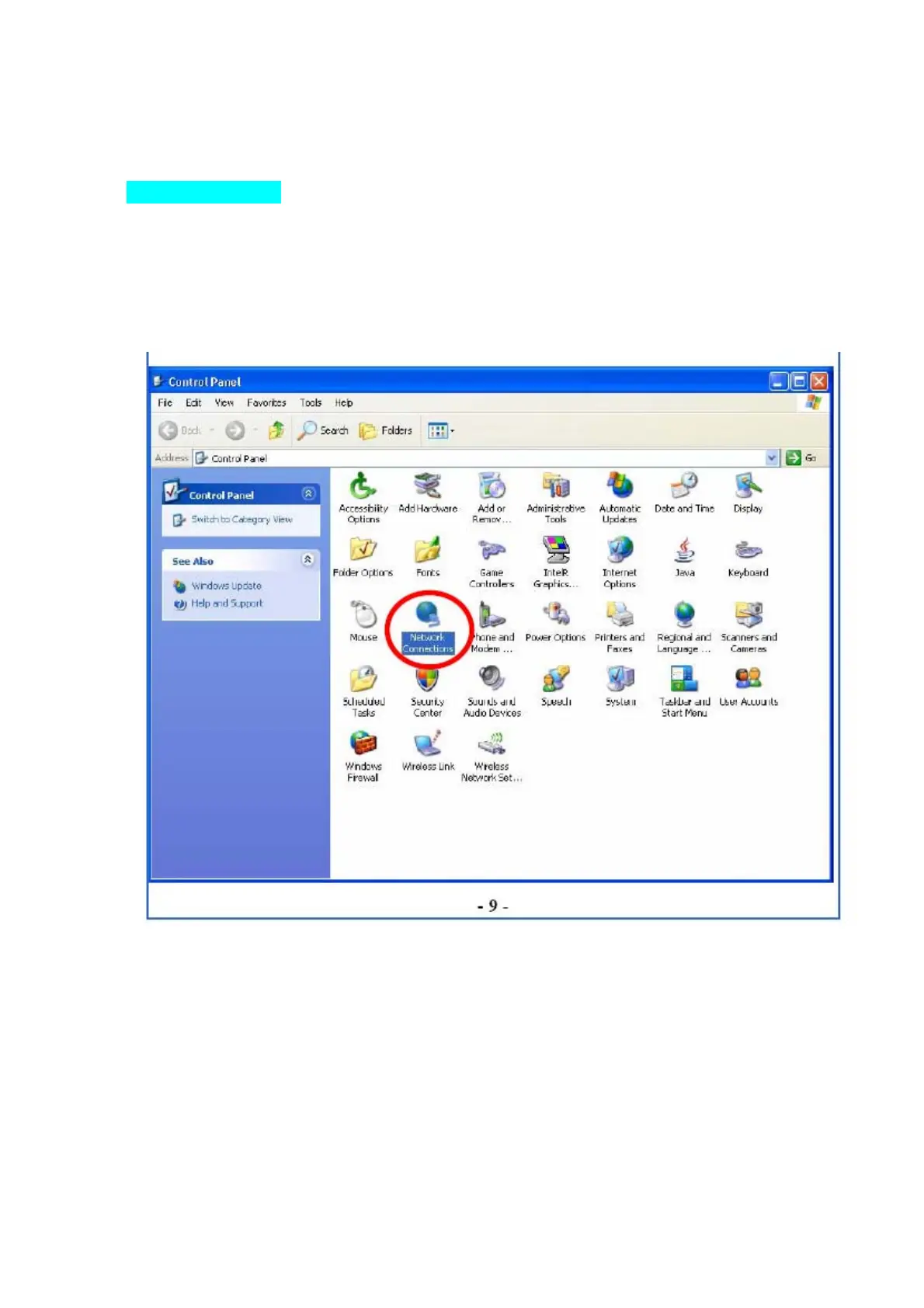
1. (In Windows 2000) Go to Start Æ Settings Æ Control Panel Æ Network and Dial-up Connections
Local Area Connection Æ Properties.
(In Windows XP) Go to Start Æ Control Panel Æ Network and Internet Connections Æ Network
Connections Æ Wireless Network Connection Æ Properties.


 To Next Page