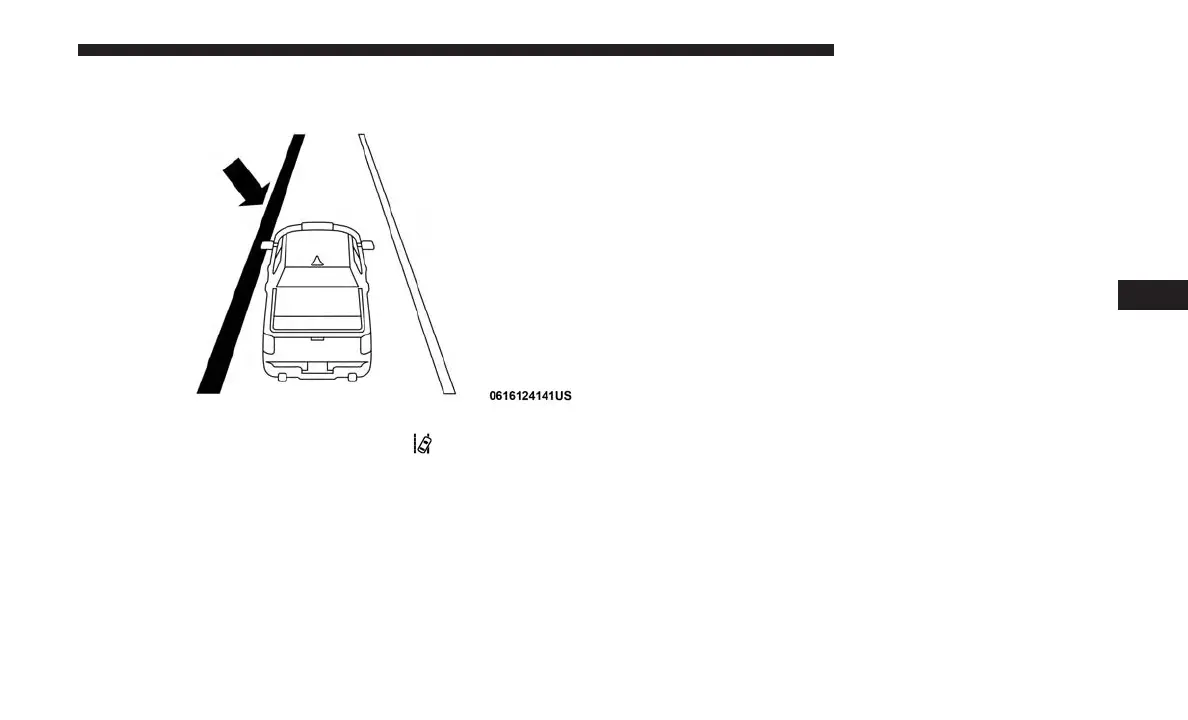
• For example: If approaching the left side of the lane the
steering wheel will turn to the right.
NOTE: The LaneSense system operates with the similar
behavior for a right lane departure.
Changing LaneSense Status
The LaneSense system has settings to adjust the intensity of
the torque warning and the warning zone sensitivity
(Early/Medium/Late) that you can configure through the
Uconnect system screen. Refer to “Uconnect Settings” in
“Multimedia” for further information.
NOTE:
• When enabled the system operates above 37 mph
(60 km/h) and below 112 mph (180 km/h).
• Use of the turn signal suppresses the warnings.
• The system will not apply torque to the steering wheel
whenever a safety system engages (anti-lock brakes,
traction control system, electronic stability control, for-
ward collision warning, etc.).
PARKVIEW REAR BACK UP CAMERA
The ParkView Rear Back Up Camera allows you to see an
image of the rear surroundings of your vehicle whenever
the gear selector is put into REVERSE or whenever it is
manually activated. When the gear selector is put into
REVERSE, the image will be displayed in the Uconnect
screen along with a caution note to “check entire surround-
ings” across the top of the screen. After five seconds this
note will disappear.
Lane Approached (Flashing Yellow Lane Line) With
Flashing Yellow Telltale
6
STARTING AND OPERATING 395



 To Next Page