Front View
The Front view will show you what is
immediately in front of the vehicle and
is always paired with the Top view of
the vehicle.
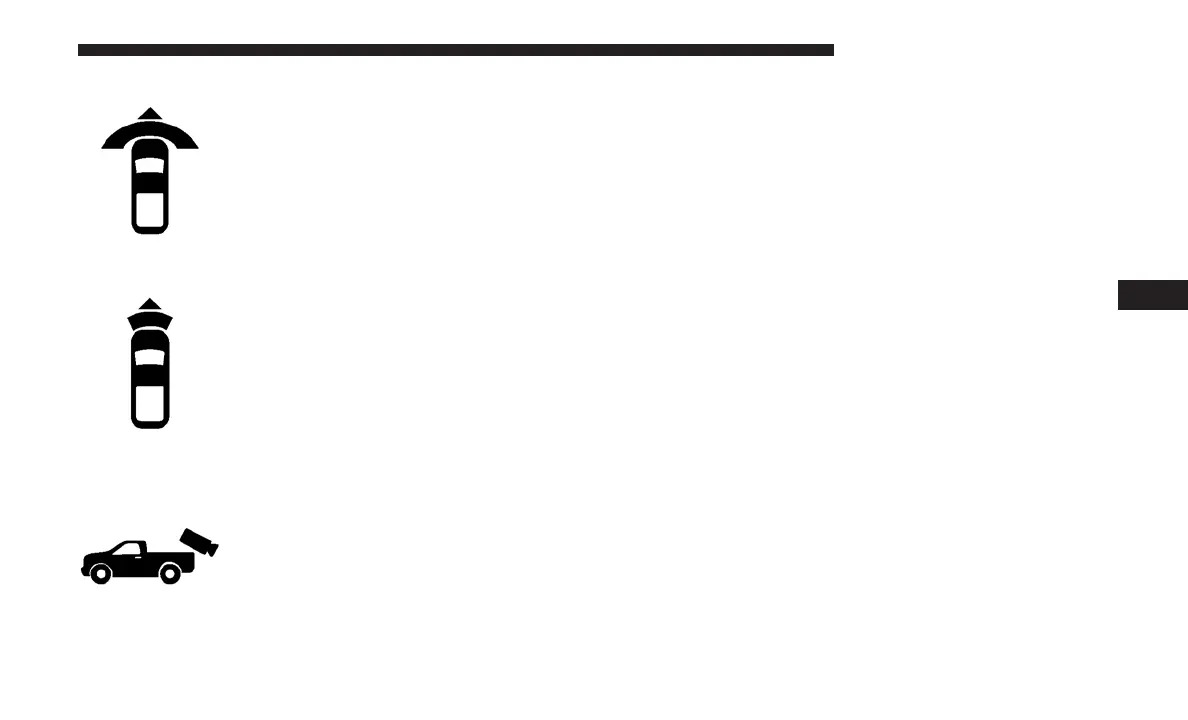
Front Cross Path View
Pressing the Front Cross Path soft key
will give the driver a wider angle view
of the front camera system. The Top
view will be disabled when this is
selected.
Rear View Camera
Pressing the Backup Camera soft key
will provide a full screen rear view with
Zoom View.
NOTE: If the Backup Camera view was selected through
the Surround View Screen, exiting out of the Rear View
Camera screen will return to the Surround View Screen. If
the Backup Camera was manually activated through the
Controls menu of the Uconnect display, exiting out of the
display screen will return to the Controls menu.
Zoom View
When the Rear View Camera image is being displayed, and
the vehicle speed is below 8 mph (13 km/h) while in any
gear selector position, Zoom View is available. By pressing
the “magnifying glass” icon in the upper left of the display
screen, the image will zoom in to four times the standard
view. Pressing the icon a second time will return the view
to the standard Backup Camera display.
When Zoom View is selected while the vehicle is in
REVERSE, then shifted to DRIVE, the camera delay view
will display the standard Backup Camera view. If the
vehicle is then returned to REVERSE gear from DRIVE, the
Zoom View selection will automatically resume.
Shifting to NEUTRAL from any gear will maintain the
selected view (Zoom or Standard) as long as the vehicle is
below 8 mph (13 km/h).
6
STARTING AND OPERATING 401


 To Next Page