GETTING TO KNOW YOUR VEHICLE 85
Icon Description
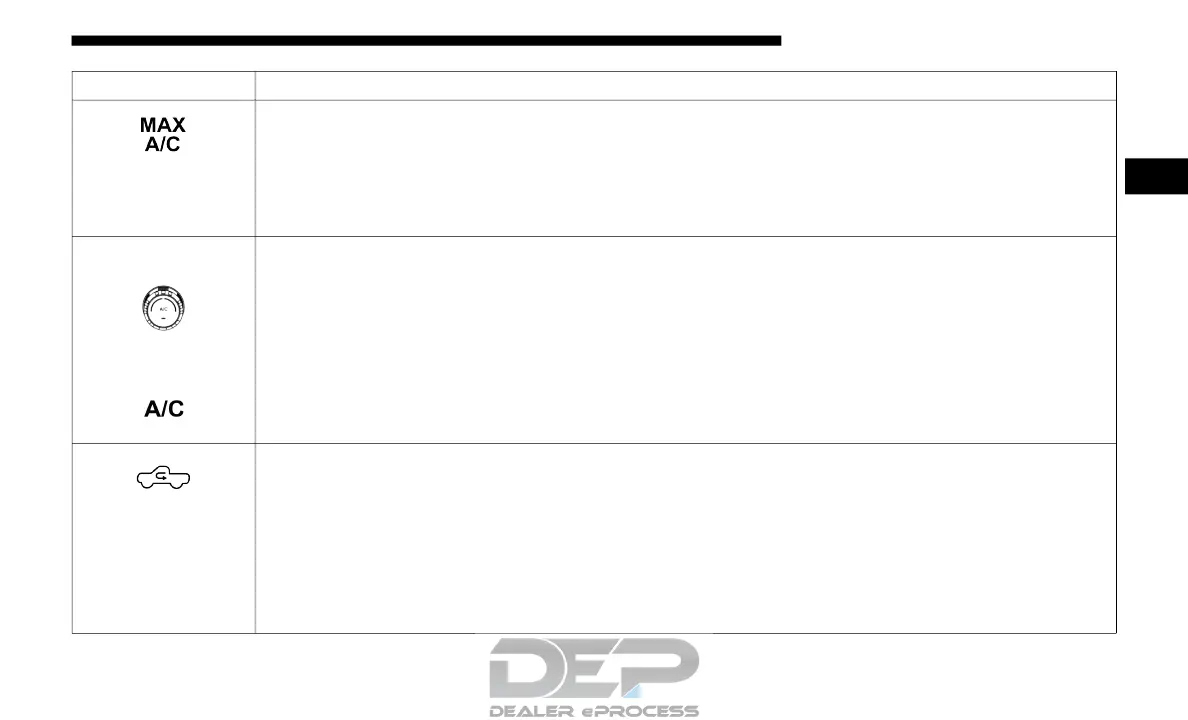
MAX A/C
Press and release to change the current setting, the indicator illuminates when MAX A/C is on.
Performing this function again will cause the MAX A/C operation to switch into manual mode and
the MAX A/C indicator will turn off.
NOTE:The MAX A/C button is only available on the touchscreen.
A/C Control Knob
A/C Button
A/C Button
Press and release the button on the touchscreen, or push and release the button on the faceplate, to
change the current setting, the indicator illuminates when A/C is on.
Recirculation Button
Press and release this button to change the system between recirculation mode and outside air mode.
Recirculation can be used when outside conditions such as smoke, odors, dust, or high humidity are
present. Recirculation can be used in all modes. Recirculation may be unavailable (button on the
touchscreen greyed out) if conditions exist that could create fogging on the inside of the windshield.
The A/C can be deselected manually without disturbing the mode control selection. Continuous use
of the Recirculation mode may make the inside air stuffy and window fogging may occur. Extended
use of this mode is not recommended.
2



 To Next Page