Need help?
Do you have a question about the Rand McNally ClearDryve 50 and is the answer not in the manual?
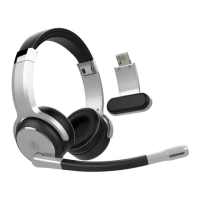
Lists the components included with the ClearDryve™ 50 headphones.
Instructions for charging the ClearDryve™ battery before use.
Procedures for turning the ClearDryve™ headphones on and off.
Steps to connect the ClearDryve™ to a Bluetooth-enabled device.
Shortcuts for managing calls and voice assistant features.
How to accept an incoming phone call.
Steps to terminate an active call.
Instructions for redialing the most recent phone number.
Method to decline an incoming call.
How to enable or disable the microphone during a call.
Shortcuts for music playback controls.
How to play or pause audio tracks.
Instructions for skipping between songs.
Guide to connecting ClearDryve™ using a 3.5mm audio cable.
Explanation of the 5 preset equalizer (EQ) settings for audio.
Instructions on converting between mono and stereo configurations.
Important safety advice regarding headphone use while driving.
Terms and conditions for using the ClearDryve™ software and materials.
Details of the product warranty, coverage, and exclusions.
Information regarding RF exposure and compliance with FCC rules.
 General
| Brand | Rand McNally |
|---|---|
| Model | ClearDryve 50 |
| Category | Headsets |
| Language | English |


 To Next Page