5
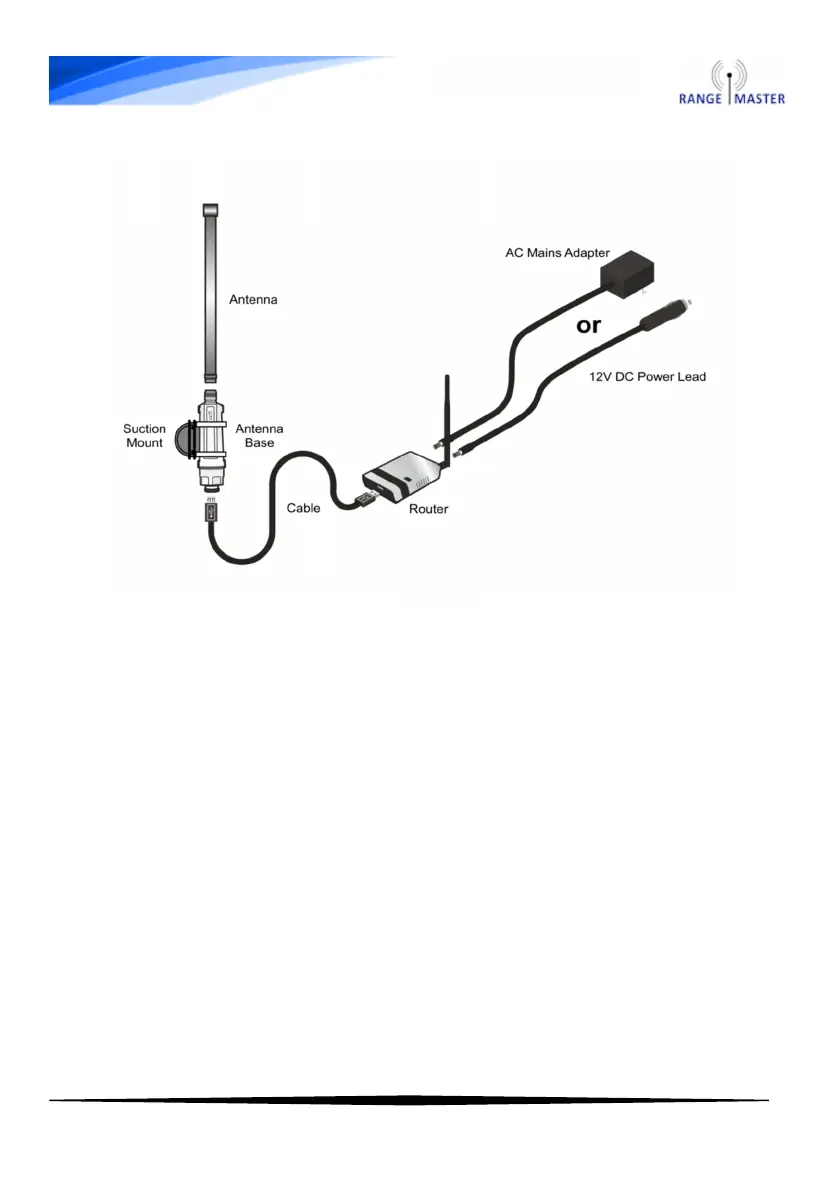
Connection diagram
3. Open the Wi-Fi settings on your computer, phone or tablet and
connect to the Wi-Fi network named RANGEMASTER
4. Once connected to the router open a web browser such as Safari,
Chrome, Firefox or Internet Explorer and navigate to this web address:
192.168.2.1 (make sure you enter this is in the address bar at the top
and NOT a search box).
You will be asked for a User name and Password, the default user
name and password are both admin. The default user name and
password can also be found on the sticker on the bottom of the router.
Note: There are issues with very old versions of the Android
default browser (earlier than Android 4.0) if using one of these
devices please install a different web browser such as Chrome
or Firefox mobile to work around this issue.



 To Next Page