
 Need help?
Do you have a question about the Range Video RVOSD Gen 5 and is the answer not in the manual?
Defines signal words like WARNING, CAUTION, and NOTE for hazard seriousness.
Defines signal words like WARNING, CAUTION, and NOTE for hazard seriousness.
Defines the use of 'shall', 'should', and 'may' in technical manuals.
General safety precautions not related to specific procedures.
Warning to keep clear of propeller and hold aircraft securely when powered.
Explains First Person Viewing (FPV) and its role in model aircraft.
Lists the hardware items included with the RVOSD5 package.
Lists hardware items that are not included with the RVOSD5.
Instructions for reporting missing components upon delivery.
Information on handling DOA units and repair services offered.
Provides an overview of the RVOSD5's function and capabilities.
Lists the types of aircraft compatible with the RVOSD autopilot.
Describes the different autopilot flight modes available.
Details the individual components of the RVOSD system.
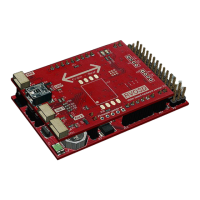
Describes the main RVOSD5 unit's functions and features.
Details the features and specifications of the included GPS receiver.
Explains the function and specifications of the current sensor.
Describes the IR remote control used for navigating menus.
Details the external temperature sensor and its operating range.
Lists the included cables for connecting various components.
Information about connecting a video camera to the RVOSD5.
Information about connecting a video transmitter.
Information about connecting a video receiver.
Information about connecting a video monitor.
How to use the main aircraft battery as a power source.
Information about the optional auxiliary battery.
Describes how to make connections to the RVOSD5 board.
Details the pin configurations and connections on the main board.
Details on voltage selection jumpers for cameras and transmitters.
Overview of the RVOSD5 menu structure and options.
Details the options available on the first page of the main menu.
Details the options available on the second page of the main menu.
Details the options available on the third page of the main menu.
Details the options available on the fourth page of the main menu.
Details the options for the first page of the autopilot menu.
Details the options for the second page of the autopilot menu.
Details the options for the third page of the autopilot menu.
Outlines the basic hardware configuration for the RVOSD5.
Configuring in-flight screens and PPM link loss detection.
Details how to detect link loss when using PCM mode.
How to configure the autopilot for flight.
Guide on using PPM receivers with the RVOSD5.
Information on connecting video hardware.
How the RVOSD5 manages power for video equipment.
How to use an auxiliary battery for video equipment.
Instructions for connecting the main aircraft battery.
How to connect the current sensor to the RVOSD5.
Steps for calibrating the current sensor.
Details on connecting an auxiliary battery input.
How to connect servos to the RVOSD5.
How to control autopilot and OSD via R/C channel.
How to set up and display RSSI from the receiver.
How autopilot controls throttle based on altitude.
How to configure landing gear status display.
How to navigate the RVOSD5 menus using the remote or R/C.
How to toggle between different OSD screens.
Instructions for running the setup wizard.
What 'Rx not detected' means and how to resolve it.
Options for R/C link lost detection and recovery.
How to set up various warnings (e.g., low battery).
How to set up and use waypoints for navigation.
Detailed configuration for RSSI display and setup.
How to configure GPS settings like fix update and HDOP.
Information on GPS satellite lock times (cold/warm start).
Settings for the current sensor type and battery capacity.
How to enable and use the debug screen for diagnostics.
How to save configuration settings to prevent data loss.
Specific configuration steps for flying wing aircraft.
Guidance on tuning the autopilot for optimal performance.
Steps for installing and preparing the RVOSD for flight.
Guides through the common steps for RVOSD installation and setup.
Setup procedure for PPM receivers.
Steps to connect and configure a primary PPM receiver.
Steps to connect and configure a secondary PPM receiver.
Lists the technical specifications of the RVOSD5.
Details the performance characteristics of the RVOSD5.
Outlines the limitations of the RVOSD5 autopilot.
Discusses limitations related to weather conditions.
 General
| RSSI Input | Yes |
|---|---|
| Temperature Sensor | Yes |
| GPS Module | Yes |
| Telemetry | Yes |
| OSD Features | Yes |
| Voltage Output | 5V |
| Barometer | Yes |
| Compass | Yes |
| Firmware Upgradeable | Yes |
| Current Sensor | Yes |

 To Next Page