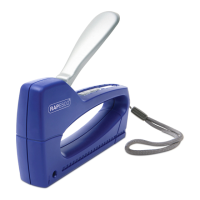
626EL Automatic USB
Electric Stapler
Operating Instructions
Please read the following instructions carefully before operating your stapler
To be used under adult supervision only
Connecting your Stapler
This automatic stapler will operate using either batteries (not included) or via a USB
port (cable included).
To operate using the USB cable, insert the connector into the rear of the stapler
marked “USB”. Insert the USB socket preferably into a mains USB plug or alternatively
into your computer USB port.
PLEASE NOTE: If the stapler is connected to a computer USB port, the power
may not be as efficient to fully power the stapler as it would be if the USB was
connected to a mains power outlet.
Dimensions Weight Compatible Staples Capacity
L 131 x W 52 x H 84mm 280g 26/6mm Max. 15 sheets (80gsm)
Using the Stapler
1. Ensure the stapler is placed on a
stable, rigid surface before inserting
any papers.
2. To activate the stapler, simply insert
the paper (max. 15 sheets) into the
opening at the front of the stapler.
Stapling will begin automatically when
paper is inserted.
Installing Batteries
1. Open the battery
compartment on the bottom
of the stapler.
2. Insert four new AA (1.5V)
alkaline or rechargeable
batteries into the
compartment according to
the diagram making sure to
observe correct polarity.
3. Close battery compartment.
Loading Staples
1. Ensure there is no paper in the stapling mouth before adding more staples.
2. Press the button at the rear of the stapler to eject the staple magazine channel.
3. Load Rapesco 26/ 6mm staples into the staple channel before gently pushing it
back into the stapler until it clicks into place.
Back
Release Button
Magazine
Front

 Need help?
 General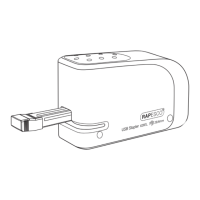

 To Next Page