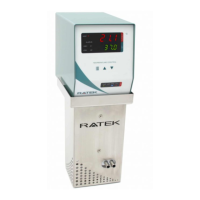
Ratek TH8000/TH8200 Precision Immersion Heater Circulator - User Manual
-------------------------------------------------------------------------------------------------------------------------------------------------------------------------------------------------------------------------------
-------------------------------------------------------------------------------------------------------------------------------------------------------------------------------------------------------------------------------
Page 15 of 25
Operating Instructions
Operating
Modes
The TH8000/TH8200 features 2 main operating modes allowing the user to either adjust the set temperature and
maintain it, or to operate at a user configurable preset temperature.
- To set and maintain a temperature, refer to the section of this User Manual titled “Operating in Variable
Mode”.
- To configure and operate at a user preset temperature, refer to the section of this User Manual titled
“Operating in SP2 Preset Mode”.
CAUTION
If the temperature of the water in the water bath is critical to your application, ensure the Immersion Heater
Circulator is left for at least 10 minutes to stabilize after the temperature has reached the set-point before you
insert your containers and samples into the water. Verify the water temperature using a thermometer.
Temperature stability is affected by water bath size, ambient temperature, position of the pump outlets, lid usage
and the heating medium. All of these factors should be considered to achieve best results.
CAUTION
Temperatures above 50 degrees are sufficient to cause steam and are also capable of causing burns or scalding.
Exercise extreme care paying particular attention to steam and splashing of water when the Immersion Heater
Circulator is operating at these high temperatures, particularly whilst loading and unloading, containers, racks or
accessories. ALWAYS use appropriate tools (such as silicon insulated tongs) to lower such containers into the
water to avoid your hands coming into contact with hot water.
Operating in Variable Mode
- The Current Temperature/Parameter Display indicates the current water temperature in the bath.
- By default, the Set Temperature/Parameter Display indicates the desired set temperature when working in
Variable Mode.
- To switch to Variable Mode, ensure the Variable/SP2 Set-Point Mode Switch is switched to VAR.
- The Variable Set-Point Mode Indicator will light blue.
- To adjust the set temperature in Variable Mode, press or to increase or decrease the desired
temperature accordingly. The set temperature will be displayed on the Set Temperature/Parameter Display.
- If the set temperature is greater than the current water temperature, the Heating Element Indicator will light up
and either flash to indicate intermittent heating or remain lit constantly to indicate constant heating.
- Once the water temperature nears the set point, the temperature control circuit will start to intermittently
engage the element to reduce the rate of heating.
- For best results, a Ratek insulated water bath should be used, as well as a lid to reduce evaporation and heat
loss.
-
Note: It is normal for the temperature to exceed the set point slightly whilst the temperature in the bath
stabilizes. The bath temperature will drop back down to the set temperature and then the proportional


 To Next Page