Page 6 Page 7
Wiring
Handset Phones
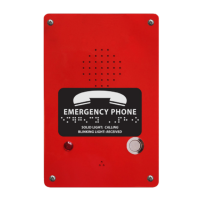
Speaker Phones
Adjusting the Volume
On the underside of the handset, turn volume wheel to increase or decrease volume.
On the internal keypad, press the red ON/OFF button. While phone is sitting with dial tone, press the blue VOL
key. Each time the VOL key is pressed, the phone will cycle through 3 volume levels. When desired volume level
is reached, press the red ON/OFF button again.
Handset Phones
Speaker Phones
3. Ring-Down Telephone Line Programming
a. Press red ON/OFF button, wait for operator to answer call, then slide S15 to ON/PROG
b. Press 5, *, 2
c. Slide S15 back to 1 position, then press red ON/OFF button
Phone
Line
Cord
Phone
Line
Cord


 To Previous Page