3
User manual Soldi Smart Series
Start-up
Operation
Dear Customer,
Thank you for choosing a banknote detector of the Soldi Smart Series from ratiotec. Our compact detec-
tors oer a fast and reliable counterfeit detection of banknotes. You may nd further information about
the software update for new Euro banknotes at the end of this brief manual. A detailed user manual
for the banknote detectors of the Soldi Smart Series is available on our homepage www.ratio-tec.com.
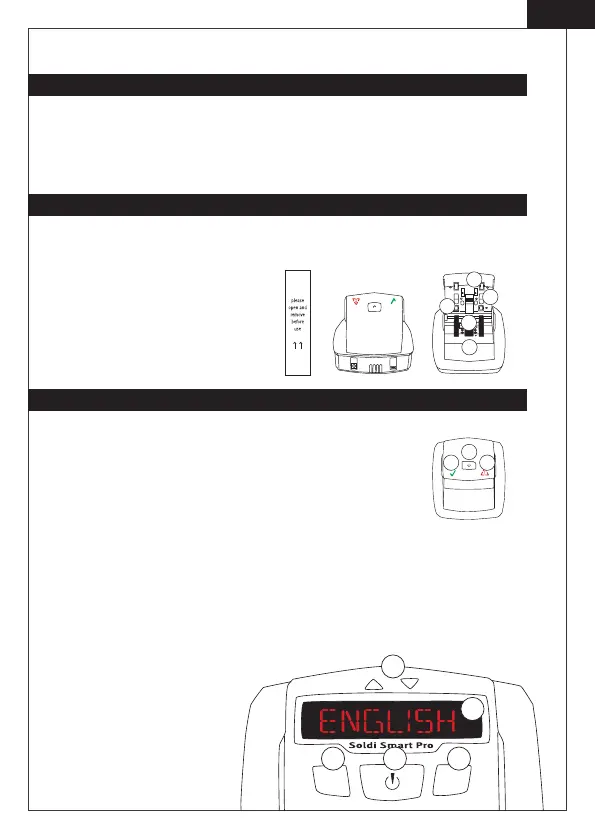
Control panel Soldi Smart
1. Validation symbol: indicates that Soldi Smart is ready to use.
It also conrms the authenticity of a banknote.
2. ON | OFF switch: switches the device on and o.
3. Warning symbol: the blinking red light indicates that the tested
banknote is suspicious. It is constantly turned on during update modus.
Note: All sensors are covered with a security stripe. Before rst use, remove security stripe by opening
cover. Connect the detector using the mains cable (after removing security stripe and closing the cover).
1. Feeding sensors
2. IR sensors
3. MG sensor
1.
2.
3.
2.
1.
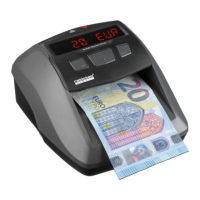
Control panel and display Soldi Smart Plus | Pro | Pro USD
1. Arrows above display indicate banknote ejection.
2. Display: Soldi Smart Pro and Soldi Smart Pro USD with lighting frame.
3. REP | ADD switch: selection of Report- and Addition function.
4. ON | OFF switch: switches the device on and o, sets functions.
5. CURR | Setup switch: selection of currency and starting the setup.
3.
2.
1.
4.
5.
3.
2.
1.
EN


 To Next Page