6
EN
Update Guide Soldi Smart with miniSD card
1.
2.
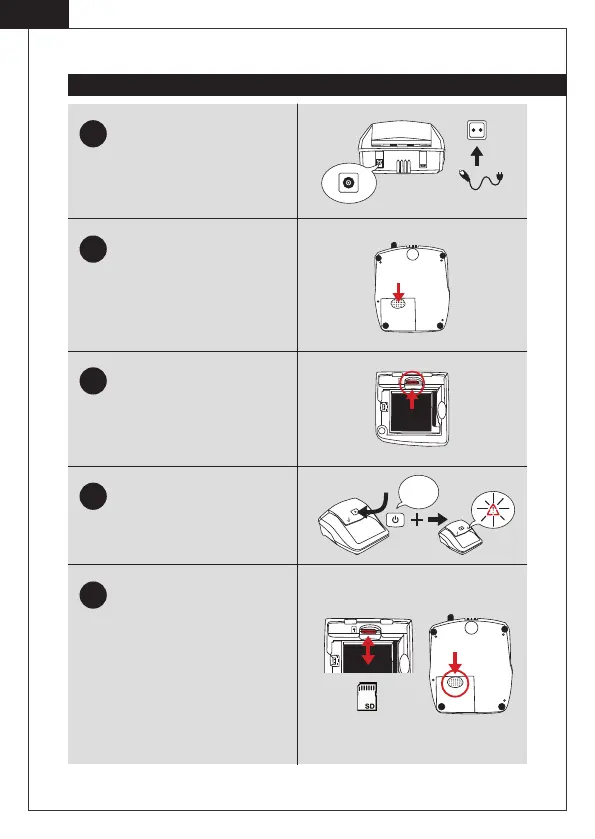
Plug the device to the power sup-
ply by means of the adapter.
Turn the device so that the rear
side is facing upwards. Remove
the flap of the battery compart-
ment. If you normally use the
device with the battery, remove it
as well.
Insert the miniSD card (with the
contacts facing up) into the SD-
card connector in the battery
compartment. Leave the device
switched o .
Press the ON | OFF key and keep
it pressed until the warning sym-
bol in red lights up. Release the
ON | OFF key.
All required updates are now per-
formed. After successful installa-
tion, two signal tones sound. Turn
the power o . Then, remove the
miniSD card by pressing briefly
inward. Thus it will eject from the
device. If necessary, replace the
battery and close the battery com-
partment with the flap.
3.
4.
5.
Keep
the key
pressed.
c.
a.
b.



 To Next Page