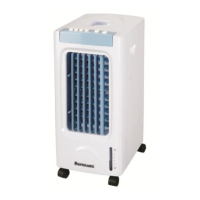
c. There have two ICE BOX, can use circularly.
Note: the ice box should be far way from children to avoid eating
CLENNING AND MANTENANCE
1.Clean the air filter screen
Unplug the power plug, pull the air filter screen up, remove it from appliance. Clean the air filter screen with
neutral detergent and banister brush. Then clean it with clear water and reinstall to appliance.
2. Clean the wetted pad
Unplug the power plug, take down the air filter screen, then draw the wetted pad from support. Clean the
wetted pad with neutral detergent and banister brush. Then clean it with clear water and reinstall to the
appliance.
Attention: the wetted pad must be installed flatly, in order to avoid leaking.
3. Clean the water tank
Unplug the power plug ,draw out the tank, pull the water and use soft brush clean it, use neutral detergent
and soft cloth rub inside of the tank.
Note: if you need to clean the tank completely,you should unscrew the screw under the base,also should
unscrew the screw of water pump inside the tank.
4. Clean the shell
Clean with neutral detergent and soft cloth.
Attention: unplug the power plug when clean the appliance ,since there have high pressure in the body. Do
not leave any water on the control panel.
Attention:
Must unplug the power plug when cleaning.
Don't make the water into the control panel.
Clean the climator with moist (never wet) cloth with a neutral detergent. Do not use petrol or other solvents.
Clean the air filter with moist (never wet) cloth with a neutral detergent. Do not use petrol or other solvents.
PLEASE NOTE! Dry the air filter before installing.
Clean the water filter (draining unit) under clean tap water.
Clean the tank with moist (never wet) cloth with a neutral detergent. Do not use petrol or other solvents.
TROUBLESHOOTING
If the climator does not start, check the power supply in the mains. Repairs must be carried out solely by the
authorised personnel.
TRANSPORTATION AND STORAGE
Before putting the device away, wait until it cools down. Transporting and store in a package protecting from
humidity and mechanical damages
Malfuction Possible reasons Solution
No action
1.Power off or poor connection
2.Not press the power at the back of
body.
3.Not Press the "ON/OFF" key on the
control panel.
1.Plug the power cord and make sure it
connects well.
2.Press the power at the back of body.
3.Press the "ON/OFF" key on the control
panel.
Poor result of
dedusting
1. Block the air filter screen with dust.
2. Block the air inlet with corpus alien.
1.Remove and clean the air filter screen.
2.Remove corpus alien from the air inlet.


 To Next Page