SUMMARY
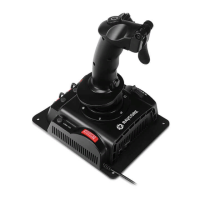
Thank you for purchasing our ight joystick! This is a control stick
of 4 axis and 29 function buttons specially designed for matching
PC. It is compatible with the various control stick game software.
Its simulated shape is designed to be in accordance with ergo-
nomics theory; you won’t feel tired even after long time game
operation. It makes the game control more workable and more
interesting.
FEATURES
• Powerful 32 bits ARM-based controller
• 4 axes (X axis, Y axis, Throttle and Rudder) with adjustable
precision (256/512/1024/2048/4096 steps per axis)
• Adjustable dead zones
• „Manual” and „Auto calibration” function
• X, Y axes with digital contactless sensors
• Twist axis with resistor
• Trigger with “safety lock” function
• 8-ways HAT-switch
• 29 buttons with mode function
• Cyclic Mode switch
• “Mode” LEDs
• “Shift” switch
• Connector for external devices with digital interface
• Hi-Speed USB connection
• Firmware upgrade via USB
SPECIFICATIONS:
• Interface Type: USB 2.0
• Number of axes: 4
• 29 buttons with mode function
• POV HAT type: 8-way
• Compatibility: Windows XP/Vista/7/8/10
• Power: 5V from USB-connection
SOFTWARE
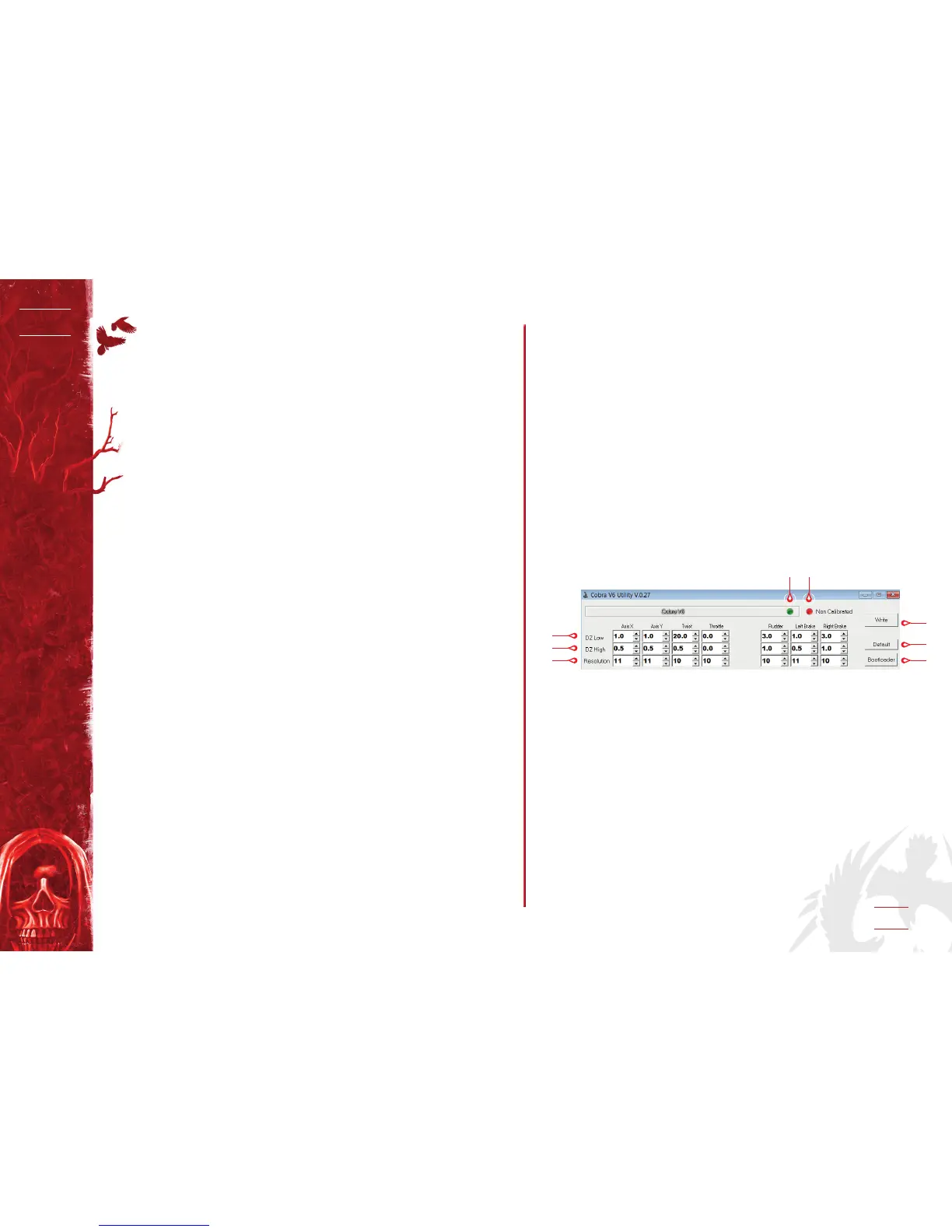
1. DZ Low: Adjust the Central Dead Zone (0.0-25.0)
2. DZ High: Adjust the Dead Zone at the ends of the axis (0.0-25.0)
3. Resolution: Adjust the Resolution 8-12 bits
(256/512/1024/2048/4096 step)
4. Connection Status: When the Joystick is connected, it will be
in green
5. Calibration Status: Show Joystick’s calibration status
6. Write: Click the “Write” button for download to joystick after
adjusting DZ & Resolution
7. Default: Click the “Default” button to restore defaults
8. Bootloader: Update the rmware
CALIBRATION FUNCTION
• Press the buttons “EJECT” + “FLAPS” within 10 seconds after
plug-in to USB for starting calibration. Red LED will start
ashing
• Move the grip/twist & throttle for around (side to side for
max)
• Press Trigger button to nish calibration
Red & Green LED ash: Fail Calibration. Please re-plug joystick
and try it again
1
6
4
2
7
5
3
8


 To Next Page
 Loading...