
EasyManua.ls Logo

ravioli J Series User Manual

ravioli J Series
36 pages
Go to English
To Next Page IconTo Next Page
Page #1 background imageLoading...
Page #1 background image
Radiocomando industriale
Industrial radio remote control
Manuale d’uso
User manual
UNITA DI COMANDO
TRANSMITTER UNITS
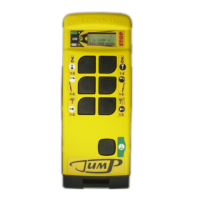
JPB06
JPB09
JPB13

Questions and Answers:

ravioli J Series Specifications

General IconGeneral
Brandravioli
ModelJ Series
CategoryRemote Control
LanguageEnglish

Summary

Manual Conventions

Symbols and Their Meaning

Explains symbols used for instructions, warnings, and technical data within the manual.

General Information

Product Description and Applications

Details the JUMP radio remote controls, their use cases, and permissible applications.

Pre-Installation and User Directions

Covers risk analysis, installation responsibilities, and essential user operation guidelines.

Available Units and Safety

Transmitter and Receiver Unit Configuration

Explains the model numbering systems for both transmitter and receiver units.

Safety Features and System Integrity

Details data transmission security, address codes, and system failure handling.

JPB06 Transmitter Unit

JPB06 Technical Data

Lists available commands, optional commands, dimensions, and weight for the JPB06 model.

JPB09 Transmitter Unit

JPB09 Technical Data

Lists available commands, optional commands, dimensions, and weight for the JPB09 model.

JPB13 Transmitter Unit

JPB13 Technical Data

Lists available commands, optional commands, dimensions, and weight for the JPB13 model.

General Technical and Option Details

Operating and Physical Specifications

Covers frequency, channels, range, power, battery, and protection degree.

Transmitter Unit Options

Details available options like toggle switches, push buttons, and keyswitch selectors.

Operating and Access Code Procedures

Starting the Transmitter Unit

Guides on how to start the unit, including battery insertion and initial display messages.

Access Code Security Features

Explains how to set, use, and remove the access code for unauthorized use prevention.

Command Control and Battery Management

Command Activation and Operation

Describes command activation, stopping the unit, and self-turning off features.

Battery Status and Low Power Warnings

Details how to check battery status and warnings related to low battery levels.

Transmitter Options and Settings

Transmitter Frequency and Self Turning Off

Guides on changing frequency and enabling/disabling self-turning off for the transmitter.

Automatic Stop Delay on Receiver

Notes that the automatic stop delay parameter is set on the receiver for safety.

Receiver Settings and Data Feedback

Adjusting Automatic Stop Delay on Receiver

Details how to adjust the automatic stop delay time on the receiver using buttons.

Data Feedback Channel Configuration

Explains how to shift feedback frequency and disable data feedback functionality.

Data Feedback Operation Details

Visualizing and Verifying Feedback Data

Describes visualizing sequences and checking feedback link quality via display.

Requirements for Feedback Data Reception

Details the necessary serial connection and protocols for receiving feedback data.

Display Customization and Battery Replacement

Customizing Display Messages

Guides on how to set a custom message on the transmitter display.

Battery Replacement Procedure

Provides step-by-step instructions for safely inserting and removing batteries.

Maintenance, Disposal, and Troubleshooting

Routine Maintenance and Repairs

Lists tasks for maintaining the unit and guidelines for specialized repairs.

Equipment Disposal and Battery Recycling

Instructs on proper deactivation and disposal of the unit and batteries.

Troubleshooting Common Problems

Presents common issues and solutions, like access code prompts and battery discharge.

Advanced Troubleshooting

Troubleshooting LED and Display Anomalies

Addresses problems related to LED blinking patterns and display status.

Troubleshooting Data Feedback and Communication

Covers issues with data feedback visualization and radio link functionality.

Troubleshooting Receiver and General Errors

Discusses receiver diagnostics and overall radio control failure checks.

Legal Notices and Disclaimers

Copyright and Modification Rights

States reproduction prohibition and content modification rights.

Responsibility and Error Disclaimer

Clarifies Ravioli's non-responsibility for mistakes or missing information.

Company Contact Information

Ravioli S.p.A. Contact Details

Provides address, phone, fax, email, and website for Ravioli S.p.A.