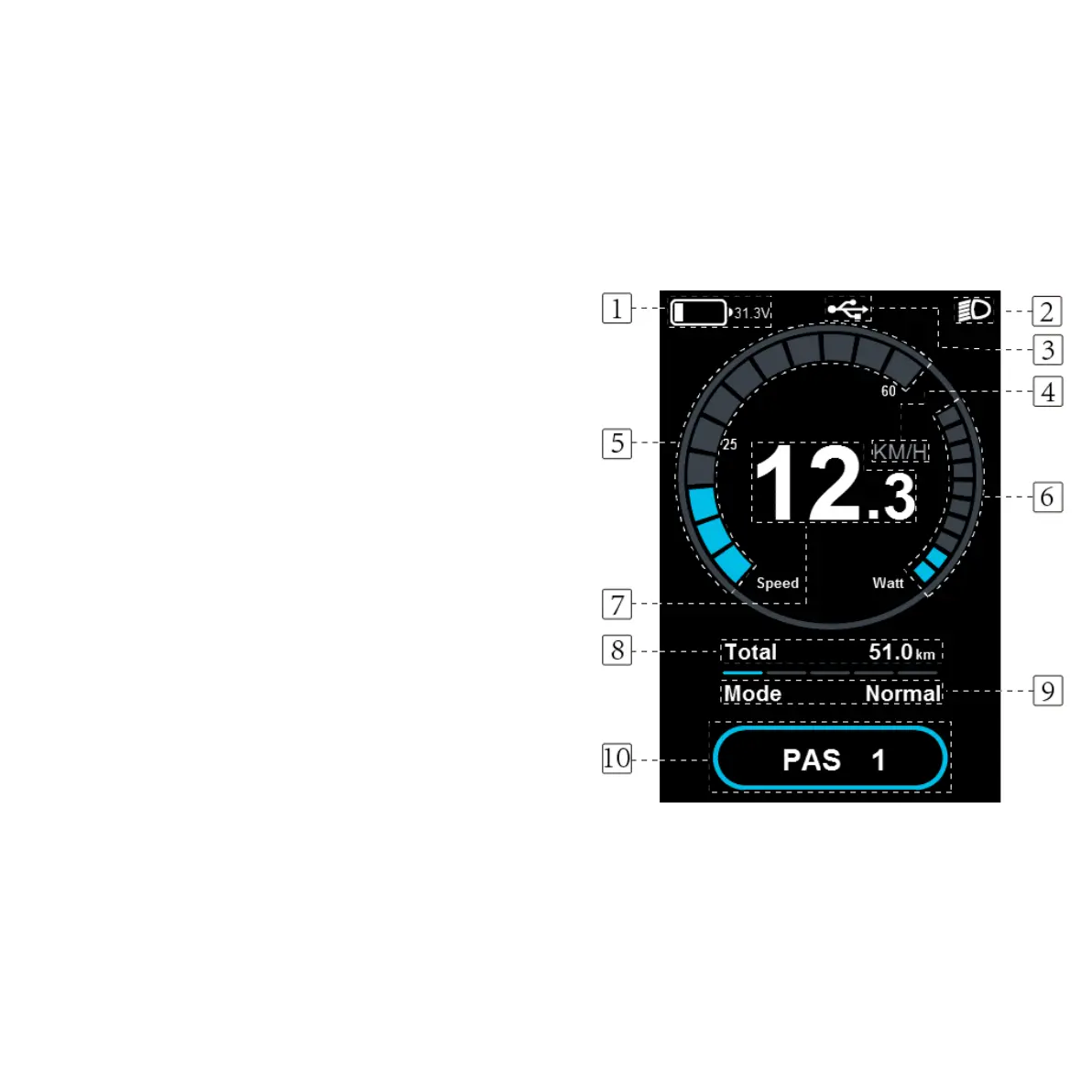
DISPLAY -FUNKTIONSÖVERSIKT
The C900E-USB offers a wide range of features and
indicators to suit users' needs. The specified content is
as below :
1: Battery indicator
2: Lighting OFF / ON. When the power is on, click
ON / OFF to turn on the front and rear light.
3: USB. Hold SET and UP for 5 seconds to enter USB.
4: Select km/mph as the current unit for speed.
5: Shows speed in real time.
6: Real-time power consumption.
7: Speed display
8: Shows the user's mileage. The accumulated value
cannot be cleared.
9: Selection of driving mode: Power / Normal / Eco.
10: Motor Assistant Level Display, 1-5.
A more detailed manual can be found at rawbike.se
where you will also find error codes and extended
functionality.
40


 To Next Page