
 Need help?
Do you have a question about the Raychem 920 Series and is the answer not in the manual?
Overview of the manual's purpose and scope for the 920 Series Operator Console.
Identifies the specific 920 Series controllers addressed by this manual.
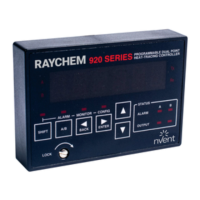
General description of the 920 Series Operator Console's functionality and design.
Details on how to order the 920 Series Operator Console model.
Information regarding initial inspection, preparation, and storage of the console.
Procedure for inspecting the console and its packaging upon receipt.
Important safety precautions for personnel operating or installing the console.
Guidelines for the suitable environmental conditions for console operation.
Considerations for selecting an appropriate installation location for the console.
Step-by-step instructions for installing and removing the operator console.
Description of the console's LED display for messages and prompts.
Explanation of the console's keypad layout and function keys.
Description of the console's status and indicator LEDs.
Fundamental principles of console operation, including modes and menu navigation.
Instructions for modifying controller configuration settings and parameters.
Procedure for editing non-alphanumeric settings like alarm masks.
Procedure for editing numeric settings like setpoints and values.
Details on console security, passcode entry, and locking mechanisms.
Method for toggling between control points A and B on the console.
Summary of essential console usage rules and shortcuts for efficient operation.
Covers invoking alarm mode, resetting alarms, and viewing alarm messages.
Details on entering monitor mode, main menu, and maintenance data sub-menu.
Guide to entering configure mode and navigating its various sub-menus.
Settings for temperature sensor alarms, enabling/disabling, and alarm settings.
Configuration of non-temperature related alarms like voltage, current, and fault.
Parameter configuration specific to control points A and B, including modes and ratings.
Configuration of parameters common to both control points, including units and language.
Functionality for copying configuration parameters between points or to defaults.
Configuration of communication protocols, addresses, and settings for optional boards.
Information regarding routine maintenance for the 920 Series Operator Console.
Details on user-replaceable parts and service procedures for the console.
 General
| Brand | Raychem |
|---|---|
| Model | 920 Series |
| Category | Music Mixer |
| Language | English |

 To Next Page