FOR GAMERS. BY GAMERS.
™
7
PAIRING OPTIONS
Activating Pairing Mode
If you want to pair the glasses to a different device, tap and hold any of the touch input areas
for 2 seconds to activate pairing mode. An audio prompt will notify you that your glasses are
searching for compatible Bluetooth devices. Simply follow the new device’s instructions to pair
it with your RZ40-0363.
Removing a Paired Device
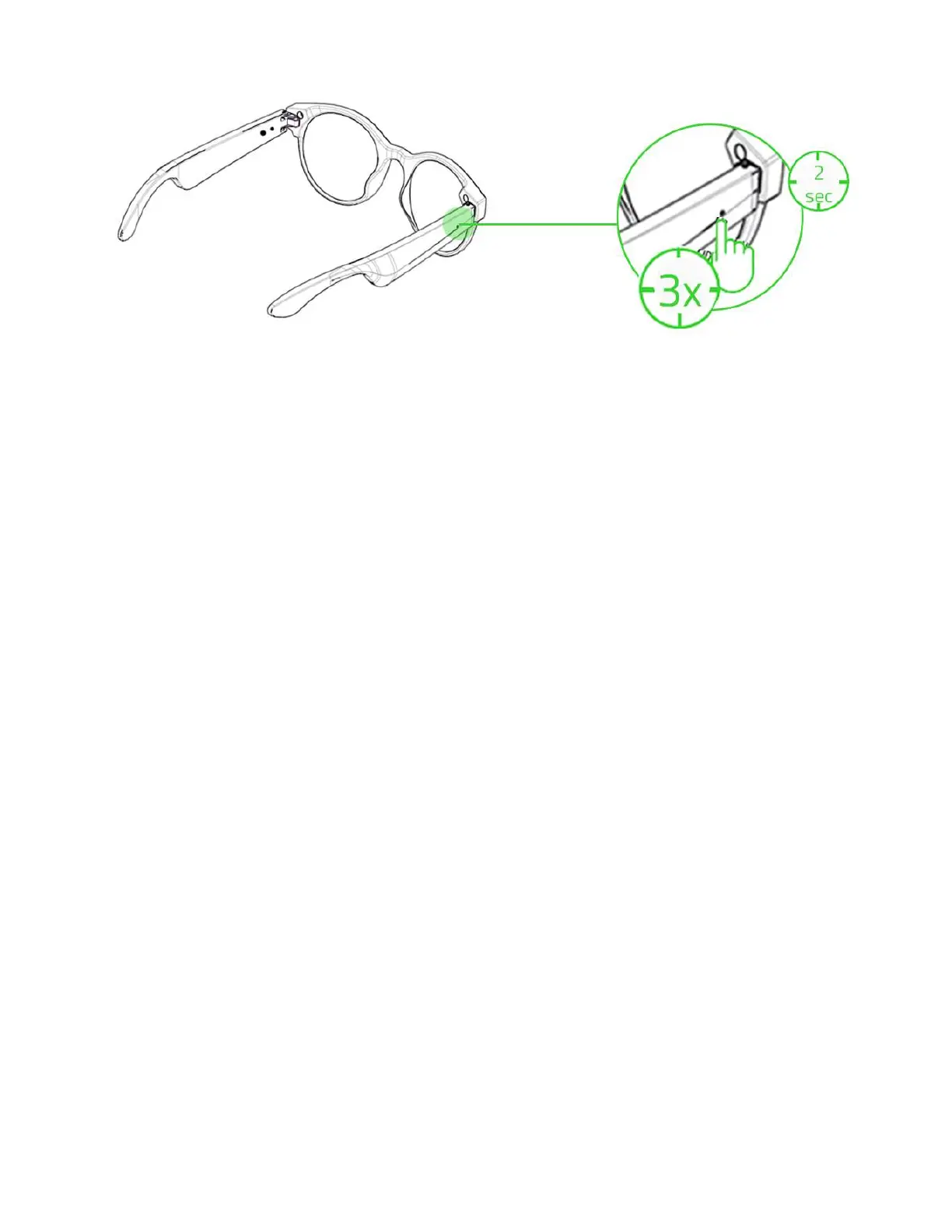
Use this option if you want to remove a paired device including all custom gestures. While in
pairing mode, triple tap then hold the last tap for at least 2 seconds on any of the touch input
areas to remove a paired device and its settings. An audio prompt will notify you that your
glasses have removed a device and are searching again for compatible Bluetooth devices.
Simply follow the new device’s instructions to pair it with your RZ40-0363.
LOW BATTERY
While unplugged, the status indicators will slowly blink in blue to indicate that the glasses
need recharging. This sequence will repeat until the battery is drained or the glasses are
being charged.


 To Next Page