4. INSTALLING DRIVERS
Aside from allowing you to download drivers or firmware updates for your Razer Blade 16 and
other supported Razer peripherals, Razer Synapse also enables you to customize all your Razer
devices' advanced settings and lighting effects. When logged in, these custom settings are
automatically stored to the cloud so that they can be accessed from any computer.
LOG IN SIGN UP
CONTINUE AS GUEST
or log in with
1. Make sure your laptop has an active internet connection.
2. By default, Razer Synapse will start automatically once you
enter Windows 11.Simply sign up for a Razer ID or log in with
an existing account.
O Youmayalsocontinueas aguest;however,vouwon'tbe
able to store any of your settings to the cloud.
3. Wait until Razer Synapse automatically downloads and
installs the necessary drivers.
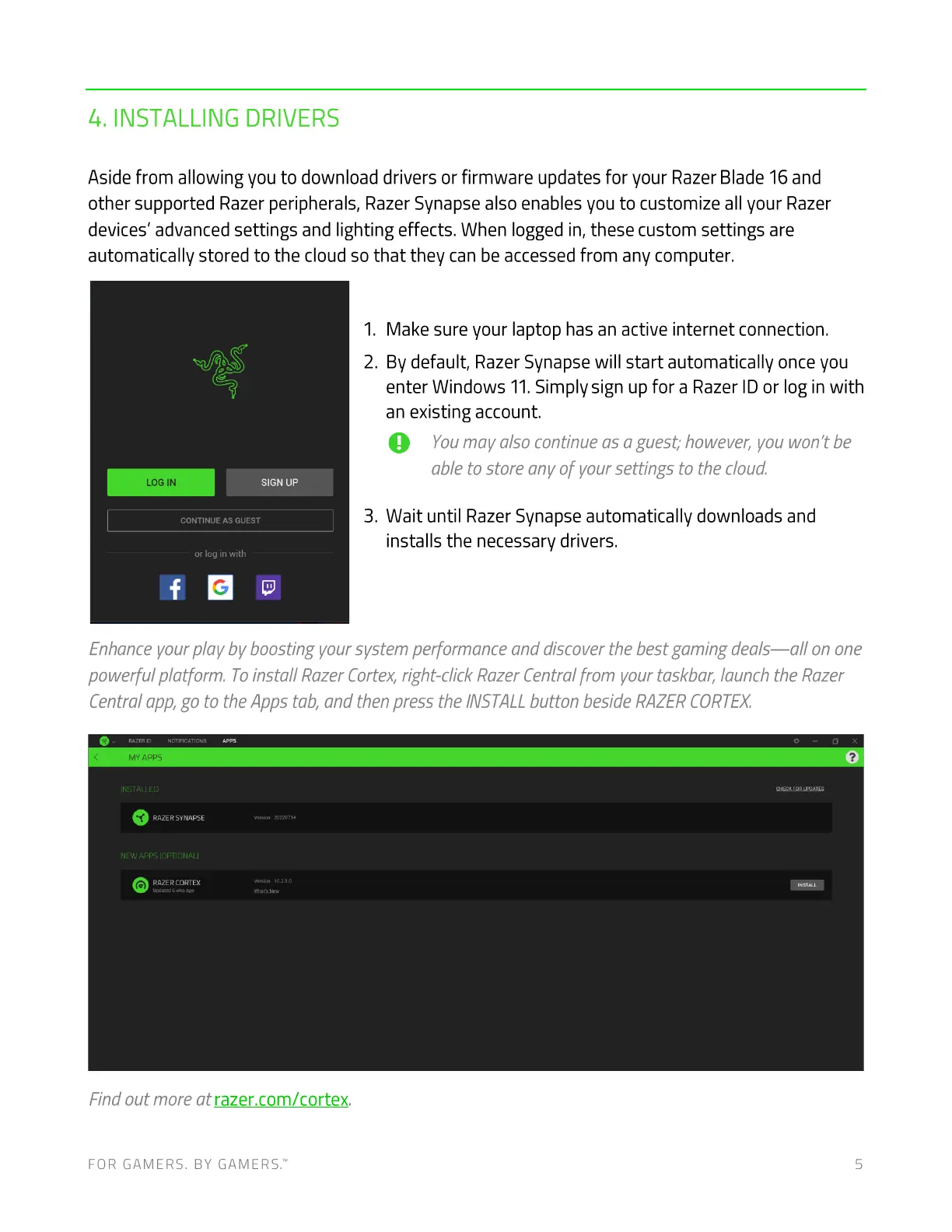
Enhanceyour play by boosting your system performance and discover the best gaming deals—all on one
powerful platform. Toinstal/ Razer Cortex,right-click RazerCentralfrom your taskbar, launch the Razer
Central app,go to the Apps tab, and then press the INSTALLbutton beside RAZERCORTEX.
MY Apps
INSTALLED
RAZER SYNAPSE
NEW
RAZER CORTEX
Find out more at razer.com/cortex.
FOR GAMERS. BY GAMERS: 5



 To Next Page