5. USING YOUR RAZER BLADE 16
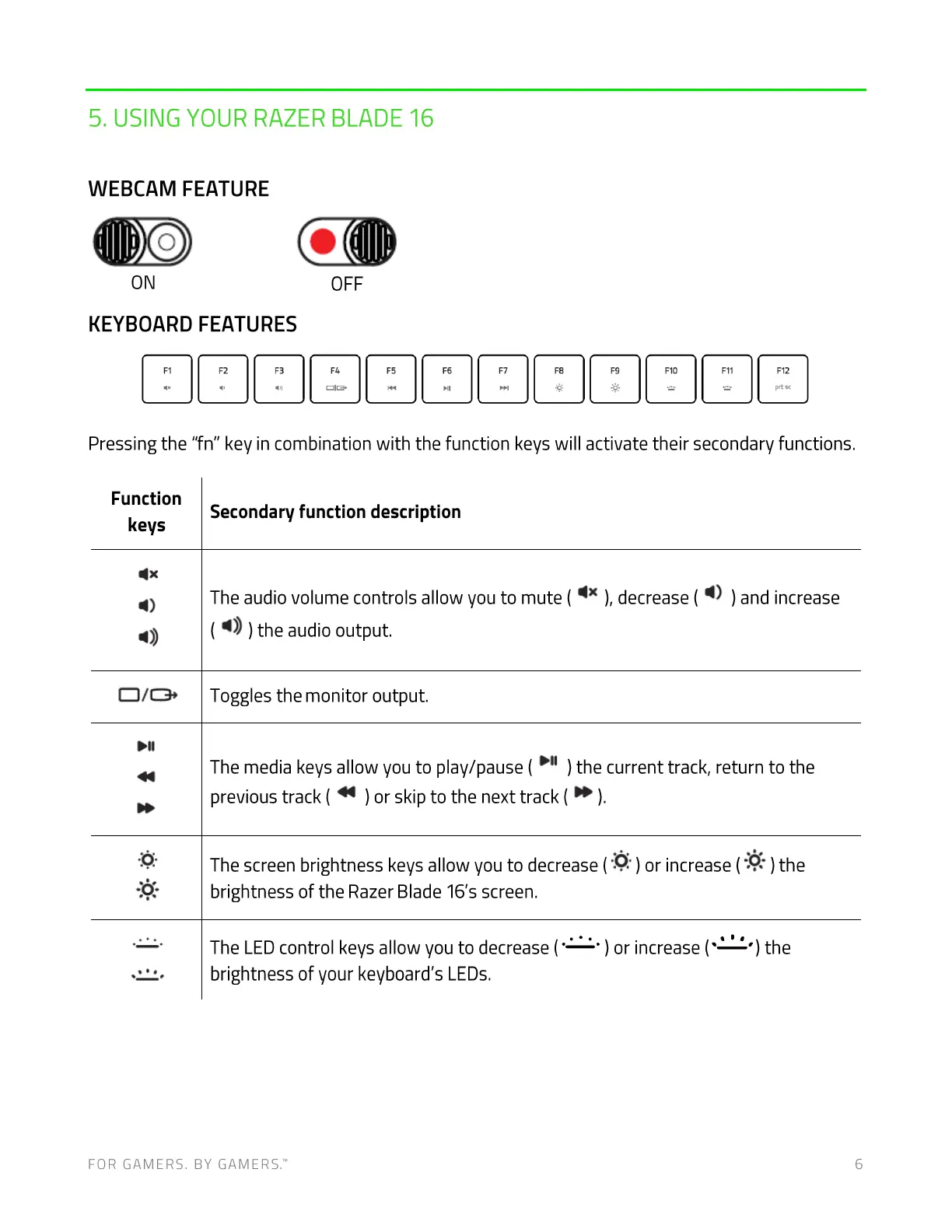
WEBCAM FEATURE
ON
OFF
KEYBOARD FEATURES
Pressing the "fn" key in combination with the function keys will activate their secondary functions.
Function
keys
4.
Secondary function description
The audio volume controls allow you to mute ( ), decrease ( ) and increase
( ) the audio output.
Toggles the monitor output.
The media keys allow you to play/pause ( ) the current track, return to the
previous track( ) or skip to the next track(
The screen brightness keys allow you to decrease ( ) or increase ( ) the
brightness of the Razer Blade 16's screen.
The LED control keys allow you to decrease ( ) or increase (
brightness of your keyboard's LEDs.
) the
FOR GAMERS. BY GAMERS: 6



 To Next Page