8. SAFETY AND MAINTENANCE
IMPORTANT SAFETY INSTRUCTIONS
WARNING:Failure to follow these safety instructions could result in fire, electric shock,or other injury or
damage.
To operate the computer safely and reduce the possibility of heat-related injuries, follow these
guidelines:
Should you have trouble operating the device properly and troubleshooting does not work,
unplug the device and contact the Razer hotline or go to razersupport.com for support.
Do not attempt to service or fix the device yourself at any time.
Operate the device only within the specific temperature range of OOC(32 0F)to GOOC
(104 OF).Should the temperature exceed this range, unplug and switch off the device in
order to let the temperature stabilize to an optimal level.
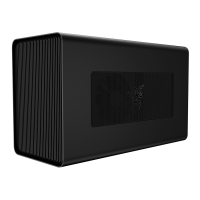
Ensure that the Razer Core is on a stable work surface and does not hinder air circulation
from around the computer.
Do not use or install near water or moisture. Do not use around swimming pools, bath tubs,
or other wet surfaces.
Do not use or install near any heat or naked flame sources. Do not use around radiators,
stoves, fire places, candles or other hot surfaces.
Power sources & voltage warning. This apparatus should only be operated from the type of
power source indicated on the apparatus. If you are unsure of the power source in the
location you intend to operate the apparatus, please consult the local power company or a
qualified technician.
Do not block ventilation grills or openings. Install in accordance with manufacturer's
instructions.
Unplug the apparatus before cleaning and do not use aerosol or liquid cleaning agents.
Never place anything over the power adapter when operating your apparatus. Do not place
the apparatus on any unstable cart, stand, tripod or table. The apparatus may fall, causing
injury to person and damage to property, including the product itself.
Unplug this apparatus during lightning storms or when unused for extended periods of time
to further protect the apparatus.
Protect the power cord from being walked on or pinched, particularly at plugs, convenience
receptacles, or the point where they exit from the apparatus.
FOR GAMERS. BY GAME-RS: 18


 To Next Page
 Loading...