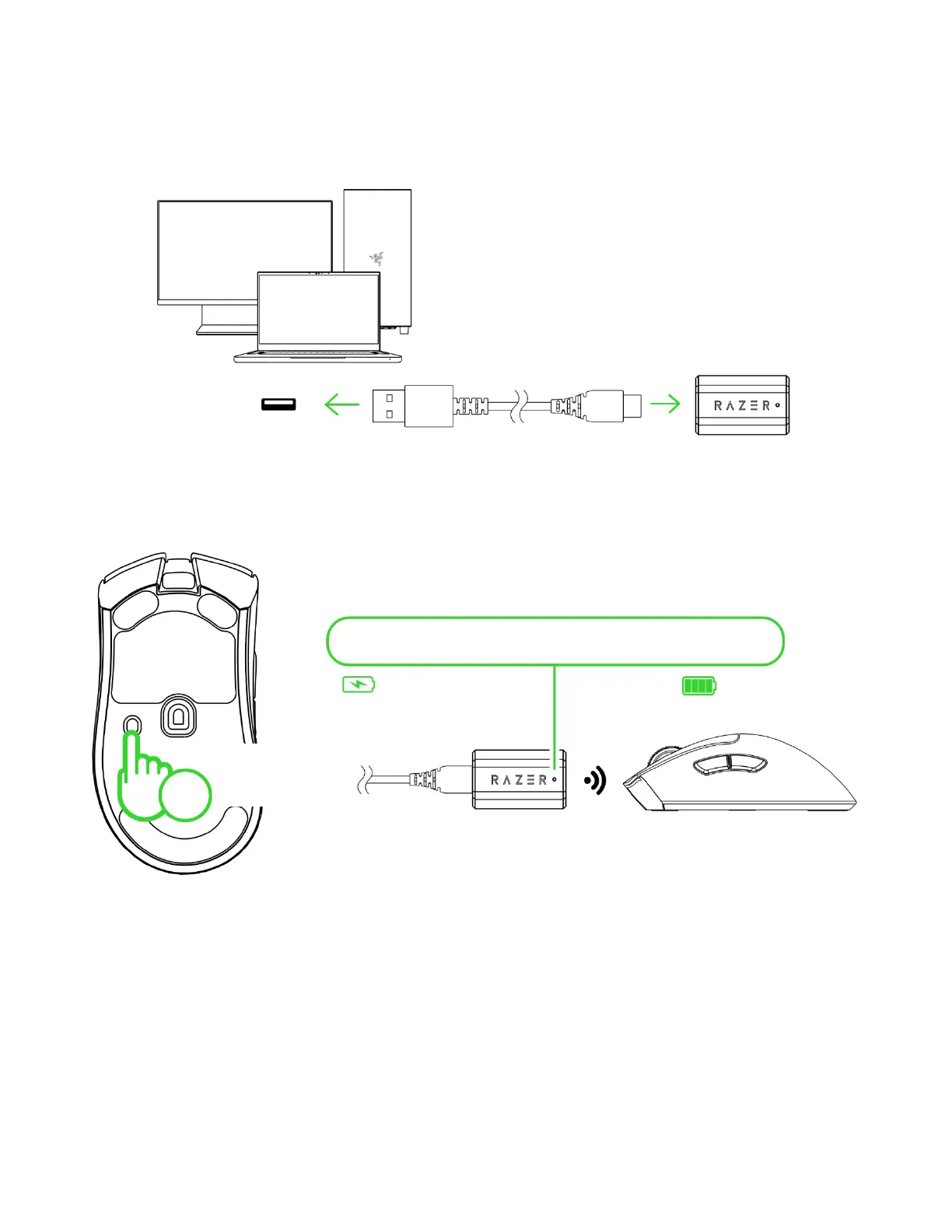
B. Via Razer™ HyperSpeed Wireless (2.4GHz) mode
1. Connect the Razer HyperPolling Wireless dongle to your PC.
2. Press and hold the power / DPI cycle button for 3 seconds to power on the mouse.
*Indicator display can be customized to show connection status, mouse battery status
(default), or low-battery warning only using the Razer Synapse app.
The Razer DeathAdder V3 Pro is now ready for use in 2.4GHz wireless mode.













 To Next Page