WHAT’S NEEDED
LET’S GET YOU COVERED
GETTING STARTED
PRODUCT REQUIREMENTS
• Devices with Bluetooth connectivity
• Internet connection for app installation
AUDIO COMPANION APP REQUIREMENTS
• iOS 11 / Android 8.0 Oreo (or higher) device with Bluetooth connectivity
• Internet connection for app installation
You’ve got a great device in your hands complete with a 2-year limited warranty coverage. Now
maximize its potential and score exclusive Razer benefits by registering at razerid.razer.com
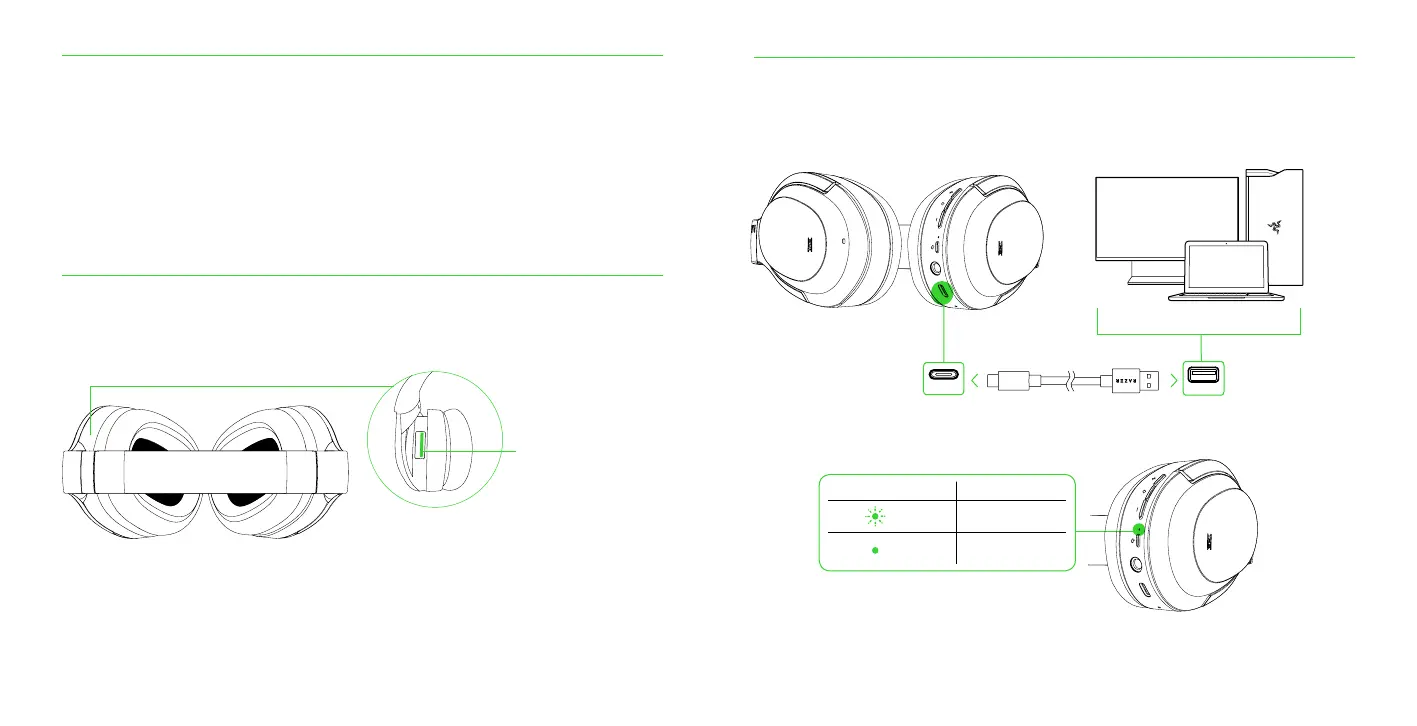
Your product’s serial
number can be found here
CHARGING YOUR HEADSET
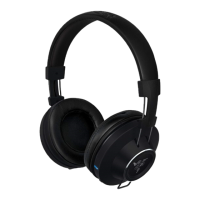
Connect your Razer Opus directly to any Type A port using the charging cable. For best results, please
fully charge your headset before using it for the first time. A depleted battery will fully charge in about
3.5 hours.
TYPE-A
TYPE C
Got a question? Ask the Razer Support Team at support.razer.com
STATUS INDICATOR DESCRIPTION
Charging
Fully charged
While charging, your Razer Opus will continuously show its battery level on the status indicator, as
shown here:



 To Next Page