KEYBOARD
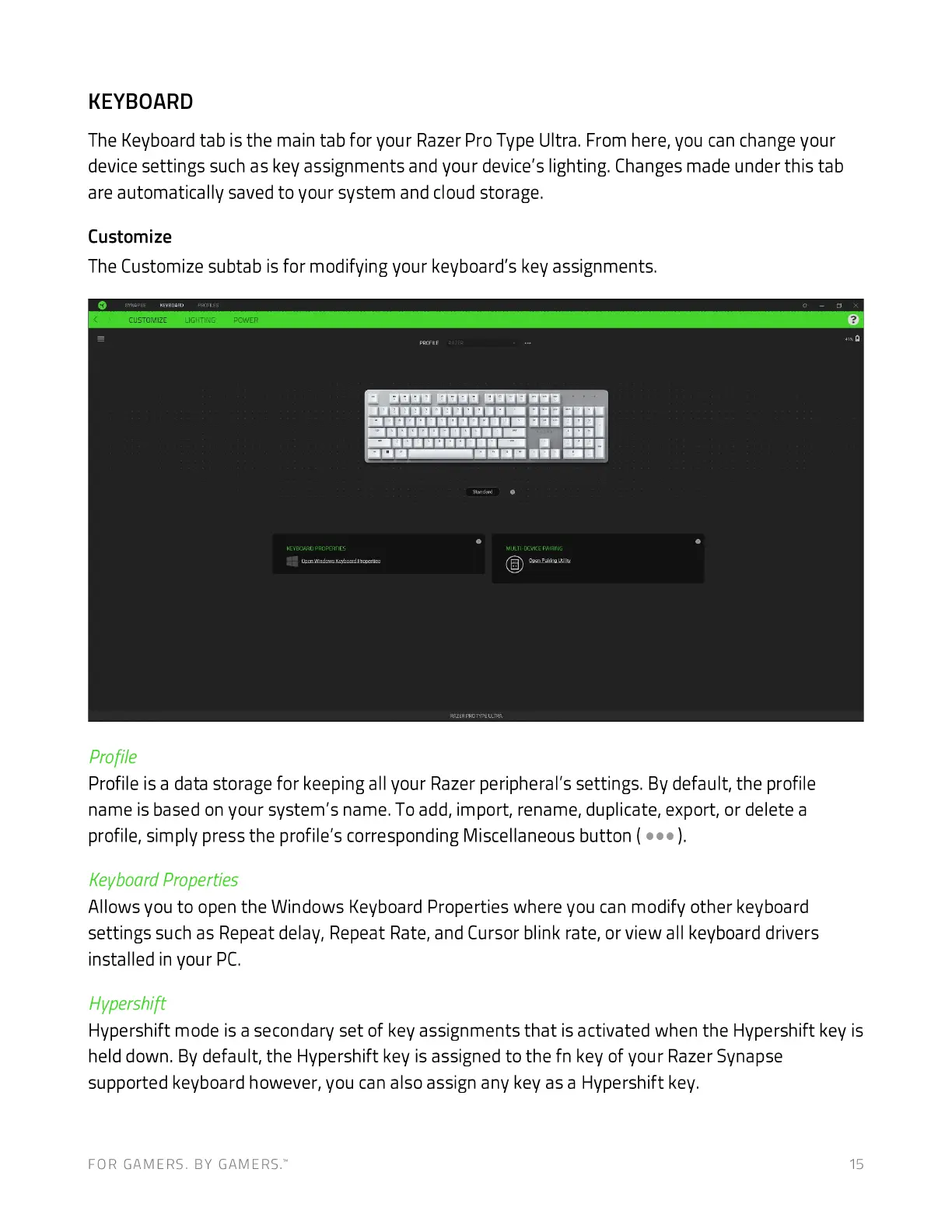
The Keyboard tab is the main tab for your Razer Pro Type Ultra. From here, you can change your
device settings such as key assignments and your device's lighting. Changes made under this tab
are automatically saved to your system and cloud storage.
Customize
The Customize subtab is for modifying your keyboard's key assignments.
CUSTOMIZE
age
profile
Profile is a data storage for keeping all your Razer peripheral's settings. By default, the profile
name is based on your system's name. To add, import, rename, duplicate, export, or delete a
profile, simply press the profile's corresponding Miscellaneous button (
Keyboard Properties
Allows you to open the Windows Keyboard Properties where you can modify other keyboard
settings such as Repeat delay, Repeat Rate, and Cursor blink rate, or view all keyboard drivers
installed in your PC.
Hvpershift
Hypershift mode is a secondary set of key assignments that is activated when the Hypershift key is
held down. By default, the Hypershift key is assigned to the fn key of your Razer Synapse
supported keyboard however, you can also assign any key as a Hypershift key.
FOR GAMERS. BY GAMERS: 15







 To Next Page