Need help?
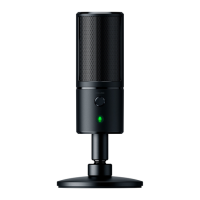
Do you have a question about the Razer SEIREN X and is the answer not in the manual?
Detailed technical data for the microphone, including power, sample rate, and polar patterns.
Step-by-step guide on how to attach the support rod and microphone to the desk stand base.
Instructions for connecting the Razer Seiren X to a computer using the provided Micro-USB cable.
Guides users through setting the Razer Seiren X as the default audio device in Windows.
Guides users through setting the Razer Seiren X as the default audio device in macOS.
Provides essential safety precautions for operating and handling the Razer Seiren X.
 General
| Microphone Type | Condenser |
|---|---|
| Polar Pattern | Supercardioid |
| Frequency Response | 20Hz - 20kHz |
| Connectivity | USB |
| Sample Rate | 48kHz |
| Bit Rate | 16-bit |
| Weight | 383g |
| Power Required | 5V 100mA |
| Max SPL | 110dB |
| THD | < 0.5% (at 1kHz) |
| Sensitivity | -38 dB (1 kHz) |

 To Next Page