If you have other supported Razer Chroma-enabled devices, you can synchronize their quick effects
with your Razer device by clicking the Chroma Sync button ( ).
Only devices that support the selected lighting effect will synchronize.
Advanced Effects
The Advanced Effects option allows you to choose a Chroma Effect you want to use on your Razer
Chroma-enabled peripheral. To start making your own Chroma Effect, simply press the Chroma Studio
button ( ).
PROFILES TAB
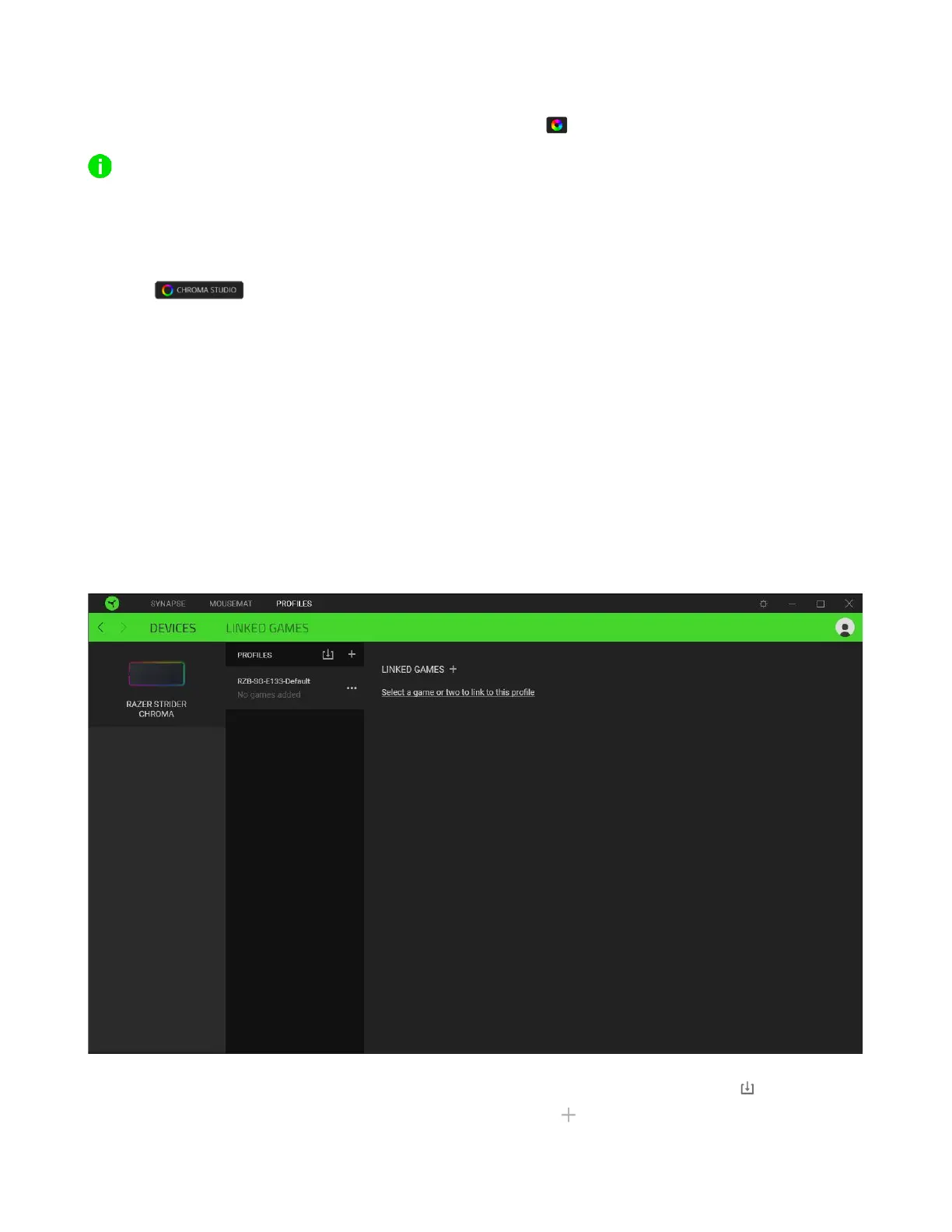
The Profiles tab is a convenient way to manage all your profiles and link them to your games and
applications.
Devices
View which games are linked to each device's profiles or which Chroma Effect is linked to specific
games using the Devices subtab.
You can import Profiles from your computer or the cloud through the import button ( ) or create
new profiles within the selected device using the add button ( ). To rename, duplicate, export, or


 To Next Page