EasyManua.ls Logo

RBH Sound SA-200 - User Manual

RBH Sound SA-200
12 pages
Print Icon
To Next Page IconTo Next Page
Loading...
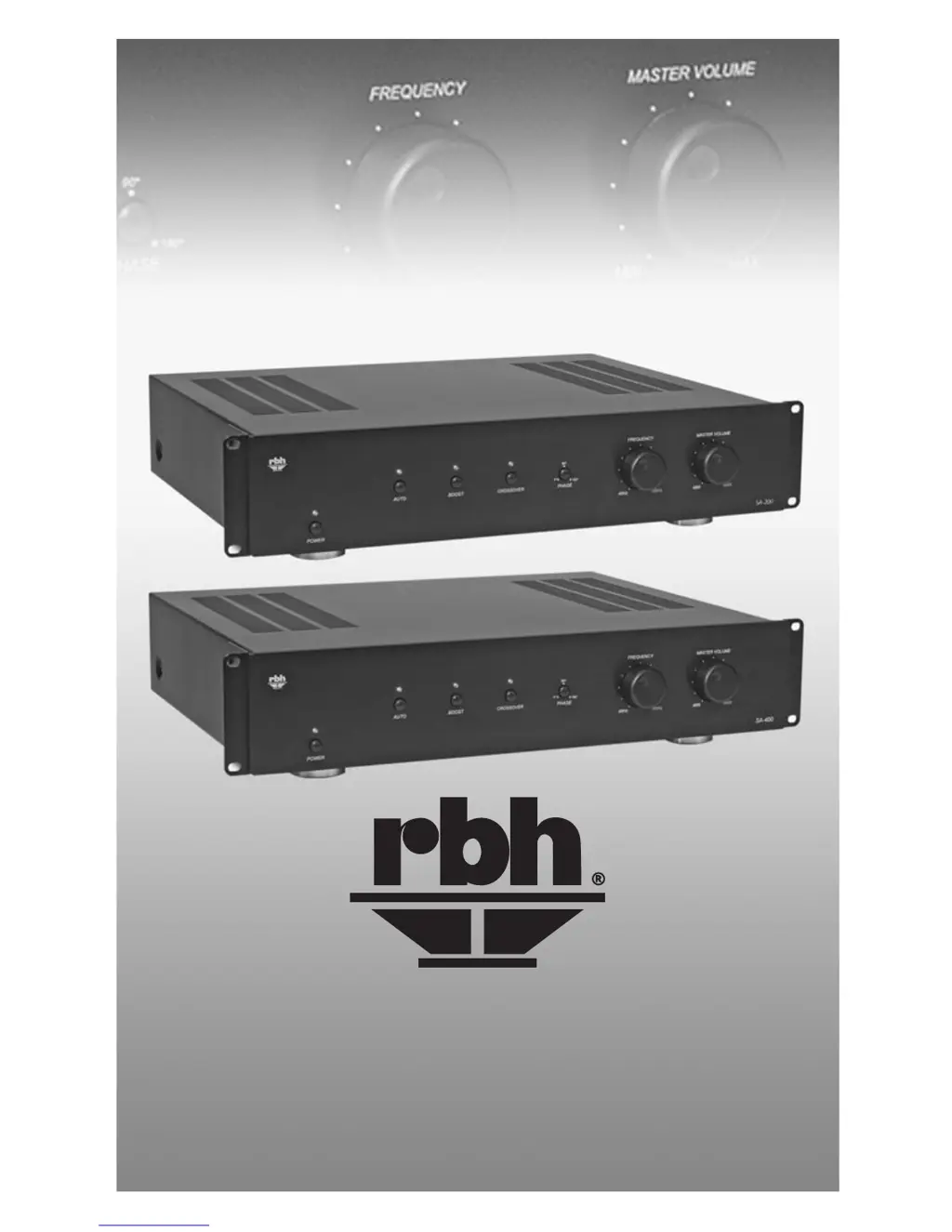
SA-200 / SA-400
High-Performance Subwoofer Amplier
O w n e r s M a n u a l

Questions and Answers

  • J
    Jeremy SmithAug 11, 2025
    Why is the performance of my RBH Sound SA-200 less than expected?
    • I
      iyoungAug 11, 2025
      If your RBH Sound Amplifier's performance is not as expected, consider the following: * Check the subwoofer wire polarity (+ and -) on the subwoofer to ensure it's correct throughout the entire system. * Adjust the crossover frequency by turning the Crossover Frequency Control clockwise until the desired sound is achieved. * Verify the Crossover On/Off button is in the correct position.
  • S
    Seth TylerAug 21, 2025
    What to do if sound comes from one subwoofer but not others with RBH Sound SA-200?
    • J
      Janet SchneiderAug 21, 2025
      If sound is only coming from one subwoofer connected to your RBH Sound Amplifier, but not the others, here's what you can check: 1. Make sure all wires are properly connected to the non-working subwoofer(s). 2. Check for electrical shorts in the wiring by ensuring all connections are complete and secure, with no stray wires contacting other terminals. If the problem is in the wire itself, replace the wire. 3. If one subwoofer is damaged due to being overdriven, it may negatively affect another subwoofer used in a series connection. Check each individual subwoofer to verify each is still operational.
  • B
    Brianna GarciaOct 30, 2025
    What to do if my RBH Sound SA-200 Amplifier has no sound from the subwoofer?
    • D
      David SanchezOct 30, 2025
      If there is no sound coming from the subwoofer(s) connected to your RBH Sound Amplifier, consider these potential causes and solutions: * Ensure the amplifier is plugged into an unswitched A/C power outlet. * Verify the subwoofer(s) are correctly connected, referring to the connections section of the manual. * Confirm the amplifier is receiving an audio signal from the pre-amp/receiver, and that audio connections match those in the manual. * Check for electrical shorts in the wiring by ensuring all connections are secure with no stray wires touching terminals. * Check if the amplifier fuse is blown and replace it, if necessary. If the fuse is not readily accessible, consult your authorized RBH dealer. Before replacing fuses, refer to the rear panel features/controls section of t...

Summary

Introduction

Front Panel Controls

Power Button

Allows manual or automatic amplifier power on/off, with indicator light.

Auto Button

Enables automatic turn-on via audio signal when Power Button is on.

Boost

Increases output at 25Hz by 4dB; use with caution on specific subwoofers.

Phase Control

Adjusts subwoofer/main speaker phase interaction at crossover frequency.

Front Panel Continued Controls

Crossover

Defeats internal low-pass filter for external crossover use or when not needed.

Crossover Frequency Control

Variable control for low-pass frequencies from 40Hz to 180Hz.

Master Volume Control

Adjusts subwoofer output level to match the audio system.

Rear Panel Controls

Line;LFE Input

RCA terminals for pre-amp level input signals from processors or preamplifiers.

Line;LFE Output

RCA terminals carrying the same audio signal as line inputs for external use.

Speaker Level Output

100Hz high-pass output for satellite/main speakers, used with Speaker Level Input.

Speaker Level Input

Connectors for speaker-level audio output from an amplifier or receiver.

Subwoofer Output

Amplified audio output for subwoofer; frequency limited by crossover setting.

Dimmer

Knob adjusts the brightness of the front panel indicator lights.

Rear Panel Continued Controls

Fuse Access

Access point for the power fuse; replacement must match original rating.

Voltage Selector Switch

Allows selection between 110V A/C (60Hz) or 220V A/C (50Hz).

Power Cord Receptacle

Connection point for the supplied power cord for amplifier operation.

Connections

System One: Using line level inputs

Illustrates connecting the subwoofer using line level inputs from a pre-amp or receiver.

System Two: Using speaker level inputs

Shows connecting the subwoofer using speaker level inputs from an amplifier or receiver.

Troubleshooting

No sound from the subwoofer(s)

Addresses causes like no power, incorrect connection, or no audio signal.

Sound from at least one subwoofer, but not the other(s)

Covers issues like bad connections, wiring shorts, or damaged subwoofers.

Troubleshooting Continued

Performance is less than expected

Discusses potential causes such as reversed subwoofer wire polarity or incorrect crossover settings.

Specifications

Safety Instructions

General Safety Precautions

Covers essential warnings about modifications, liquids, and user-serviceable parts.

Ventilation Requirements

Details proper placement to ensure adequate airflow and prevent overheating.

Power and Cord Handling

Advises on correct power source connection and power cord routing.

Object and Liquid Entry Prevention

Warns against exposure to liquids and falling objects to prevent damage.

Damage Requiring Service

Lists conditions that necessitate professional servicing by a qualified technician.

Warranty Information

RBH Sound SA-200 Specifications

General IconGeneral
BrandRBH Sound
ModelSA-200
CategoryAmplifier
LanguageEnglish