4
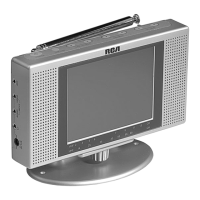
To attach the
stand to the
TV, rotate the
locking knob
on the bottom
of the TV
clockwise until
the locking screw engages.
To remove the stand, rotate the locking
knob counterclockwise until the locking
screw disengages.
Using Your TV
1. Extend the rod antenna and press VHF/
UHF
on top of the TV to select VHF or
UHF. The TV starts scanning and stops
at the next active channel in the selected
band.
2. Press
CHANNEL ) or ( on top of the
TV to tune to a different channel. The
tuning line on the screen aligns with the
selected channel number below the
screen.
3. To adjust the volume, press
VOLUME +
or - on top of the TV.
4. To adjust the picture to the desired
brightness, press
BRIGHTNESS ) or
( on top of the TV. The brightness also
changes with the screen’s angle.
Notes:
• In low temperatures, the TV screen
takes a few seconds to light, or it might
be slightly red in color. This is not a
malfunction. Normal operation occurs
after a few seconds.
• If reception is poor, adjust the length or
angle of the rod antenna. If inside a metal
or concrete building, moving closer to a
window might improve reception.
Using Your TV as a Monitor
You can play back the signal from an audio/
video component connected to your TV
using a Y-adapter cable (not supplied). Y-
adapter cables are available at your local
RadioShack store.
Connect the adapter’s red plug to the
component’s audio right output jack and the
adapter’s white plug to the component’s
audio left output jack. Then connect the
video cable’s yellow plug to the component’s
video output jack and the other end to the
VIDEO INPUT jack on the TV. Then connect
the adapter’s stereo mini plug into the
AUDIO INPUT jack on the TV.
Note: Connecting an audio/video
component disables the TV’s antenna.
16-3066.fm Page 4 Monday, November 10, 2003 9:37 AM




 To Next Page