Erasing selected file
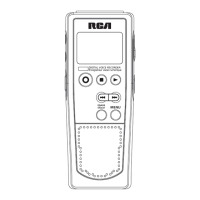
You can delete a file by the following
steps:
1. Select folder (A, B, C , D or )
2. Select file.
3. Press ERASE once and DELETE will
blink on the screen.
4. Press and hold ERASE for 3 seconds
to confirm deleting. (or press STOP
to cancel erasing file)
Erasing all files in a folder
You can delete all files in a specific
folder by the following steps:
1. Turn on the unit.
2. Select a folder (A, B, C , D or ).
3. In Stop mode, press FORWARD
continuously until “ALL” appears
on the display.
4. Press ERASE and “DELETE” will
blink on the display.
5. Press and hold ERASE for about 3
seconds, all files in the selected
folder will be erased completely (or
press STOP to cancel erasing all
files).
EN
12
Erasing File / Folder
Tip:
File numbers that come after
erased one will be moved forward
by one automatically.



 To Next Page