Optional Accessories
Removing the Lens Hood
Remove the lens hood so you can attach optional accessories, such as wide-angle lens,
lens extenders, or lens filter kits.
Attaching an Accessory Lens
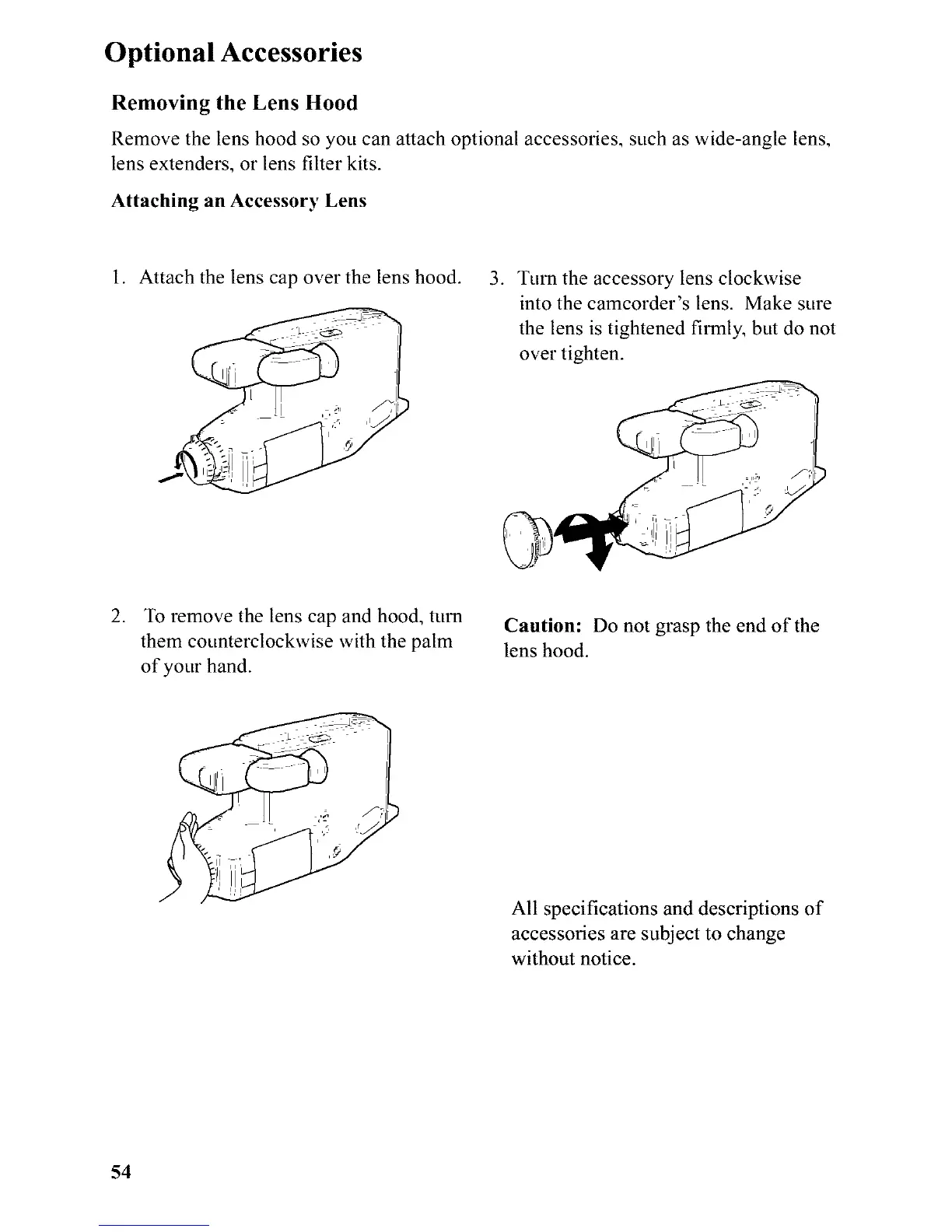
1. Attach the lens cap over the lens hood.
3. Turn the accessory lens clockwise
into the camcorder's lens. Make sure
the lens is tightened firmly, but do not
over tighten.
2.
To remove the lens cap and hood, turn
them counterclockwise with the palm
of your hand.
Caution: Do not grasp the end of the
lens hood.
All specifications and descriptions of
accessories are subject to change
without notice.
54



 To Next Page