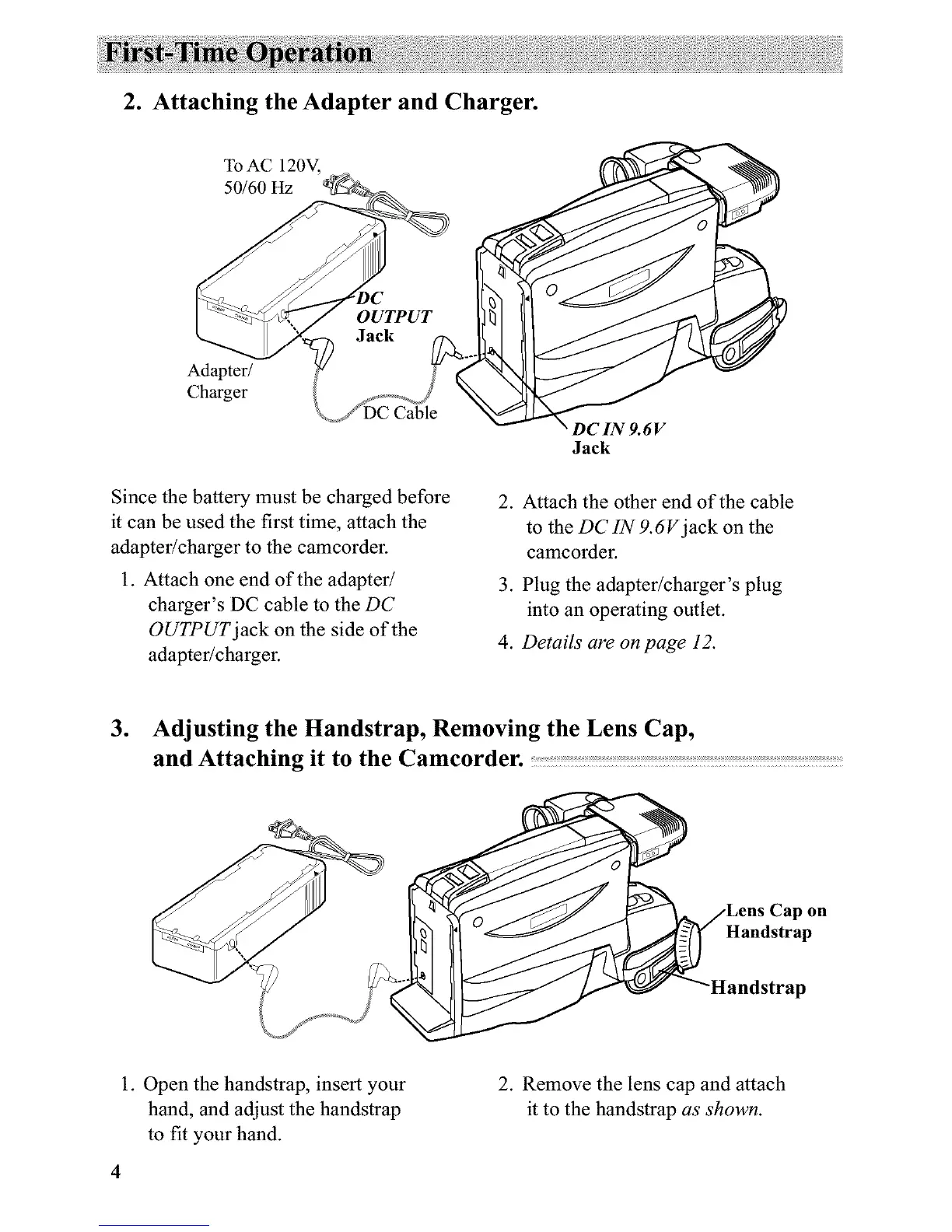
2. Attaching the Adapter and Charger.
To AC
50/60 Hz
Adapter/
Charger
Since the battery must be charged before
it can be used the first time, attach the
adapter/charger to the camcorder.
1. Attach one end of the adapter/
charger's DC cable to the DC
OUTPUT jack on the side of the
adapter/charger.
Jack
2. Attach the other end of the cable
to the DC IN 9.6V jack on the
camcorder.
3. Plug the adapter/charger's plug
into an operating outlet.
4. Details are on page 12.
3. Adjusting the Handstrap, Removing the Lens Cap,
and Attaching it to the Camcorder.
on
Handstrap
andstrap
1. Open the handstrap, insert your
hand, and adjust the handstrap
to fit your hand.
2. Remove the lens cap and attach
it to the handstrap as shown.



 To Next Page