EasyManua.ls Logo

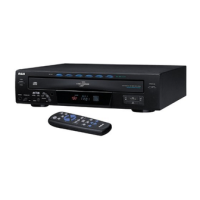
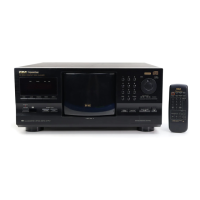
RCA CD9500 - 301 - Disc CD Changer - User Manual

RCA CD9500 - 301 - Disc CD Changer
20 pages
Print Icon
To Next Page IconTo Next Page
Loading...
owner’s manual
Compact Disc Changer

Questions and Answers

  • S
    salasjenniferJul 30, 2025
    How to fix no sound on RCA CD9500 - 301 - Disc CD Changer?
    • T
      Tiffany DanielsJul 30, 2025
      If you're not getting any sound from your RCA CD Player, here's what to check: * Make sure the output cables are correctly and securely connected. * Verify the settings and volume on your stereo amplifier. * Clean any dirt from the pin plugs and amplifier terminals. * Ensure the player isn't paused by pressing 3 or 8. * Reload the disc with the label side facing right.
  • R
    Ryan CunninghamAug 3, 2025
    What to do if RCA CD Player stops or pauses during playback?
    • D
      dominiquehernandezAug 3, 2025
      If your RCA CD Player stops immediately after starting playback or pauses unexpectedly, make sure the disc is correctly inserted with the label side facing right. Also, check the disc for smudges or debris and clean it if necessary.
  • J
    Jillian MirandaAug 9, 2025
    Why is my RCA CD Player remote control not working?
    • E
      Edwin OwensAug 9, 2025
      If the RCA CD Player's remote control isn't working, first replace the batteries. If that doesn't solve the issue, make sure there's nothing blocking the path between the remote and the CD player. Try moving the remote or removing any obstructions.
  • R
    Richard BellAug 14, 2025
    What does U1 error mean on RCA CD Player?
    • A
      Antonio MurphyAug 14, 2025
      If your RCA CD Player displays "U1", reload the discs properly, ensuring only one disc is in each slot. Also, check the disc and the rack for any foreign matter.
  • C
    ckaufmanAug 19, 2025
    What does U2 error mean on RCA CD Player?
    • M
      Mrs. Tara Patton DVMAug 19, 2025
      If your RCA CD Player shows a "U2" error, check the rack for any foreign matter. If there is no foreign matter, unplug the power cord and then plug it back in.
  • A
    Amanda ReedAug 25, 2025
    What does U3 error mean on RCA CD9500 - 301 - Disc CD Changer CD Player?
    • M
      Mrs. Kelly Hernandez MDAug 25, 2025
      If your RCA CD Player displays "U3", check the hood for any obstructions. If there are no obstructions, unplug the power cord and then plug it back in.

Summary

IMPORTANT SAFETY INSTRUCTIONS

General Safety Precautions

Covers warnings, cleaning, water, power, lightning, objects, and liquids for safe operation.

Servicing and Maintenance

Details on servicing, replacement parts, and safety checks by qualified personnel.

Installation and Environment

Guidelines for mounting and placing the changer away from heat sources.

PREPARATION

CAUTIONS REGARDING THE CD CHANGER

CONNECTIONS

Making Connections

Guide to connecting the CD changer to an amplifier using audio and control cables.

HOW TO LOAD THE DISCS

Loading Discs into the Rack

Step-by-step instructions for inserting up to 300 discs into the changer's rack.

OPERATIONS

TROUBLESHOOTING

Common Issues and Solutions

Guide to diagnosing and resolving common problems like no sound or playback interruptions.

Self-Diagnostics Function

Explanation of error codes and how to use the changer's self-diagnostic capabilities.

SPECIFICATIONS

RCA CD9500 - 301 - Disc CD Changer Specifications

General IconGeneral
BrandRCA
ModelCD9500 - 301 - Disc CD Changer
CategoryCD Player
LanguageEnglish

Related product manuals