3
TV/VCR Connection
The basic connection (TV and VCR), right, is the most common
connection and is therefore used to illustrate a single component
connection with your TV.
Cables
You will use either of the following type of cable to make your
connection:
Coaxial Cables: Carries the signal from the
antenna or cable directly to the television or
through a cable box, as needed by your cable
system.
Audio/Video Cables: Carries audio and video from a
component to the TV.
How to View the VCR
To watch the VCR with the connection using the CABLE/ANTENNA jack,
tune the TV to Channel 3 or 4. To watch the VCR with the connection
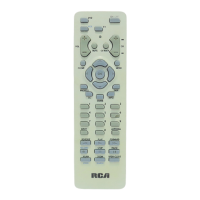
using the AUDIO/VIDEO in jacks, tune the TV to the Video Input (press
INPUT on the remote).
VCR 1
TV
AUDIO
VIDEO
OUT
IN FROM ANT
OUT TO TV
CH3
CH4
AUDIO
VIDEO
CABLE/
ANTENNA
CABLE, CABLE BOX, OR ANTENNA
CABLE, CABLE BOX, OR ANTENNA
VCR 1
AUDIO
VIDEO
OUT
IN FROM ANT
OUT TO TV
CH3
CH4
TV
CABLE/
ANTENNA
AUDIO
VIDEO
CABLE, CABLE BOX, OR ANTENNA
OR
GETTING STARTED
TIP
Your TV is equipped with an audio/
video input. To tune to the audio/
video input, press the INPUT button
on the remote. The audio/video
input can also be added to the
channel scan list and accessed by
the channel up and down buttons.



 To Next Page