12 Chapter 1
Connections & Setup
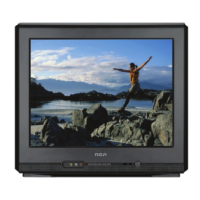
The Front of Your TV
Front Panel
If you cannot locate your remote you can use the buttons of your TV to operate many of the
TV’s features.
MENU Brings up the Main menu. When in the menu system, it selects highlighted items. Also
returns you to the previous menu. Press and hold MENU for two seconds to access the GUIDE
Plus+ system.
CH Scans down through the current channel list. When you’re using the TV’s menu system,
it acts like the arrow down button on the remote control.
CH ^ Scans up through the channel list. When you’re using the TV’s menu system, it acts like
the arrow up button on the remote control.
VOL – Decreases the volume. When you’re using the TV’s menu system, it acts like the left
arrow button on the remote control.
VOL + Increases the volume. When you’re using the TV’s menu system, it acts like the right
arrow button on the remote control.
POWER Turns the TV on and off.
^



 To Next Page