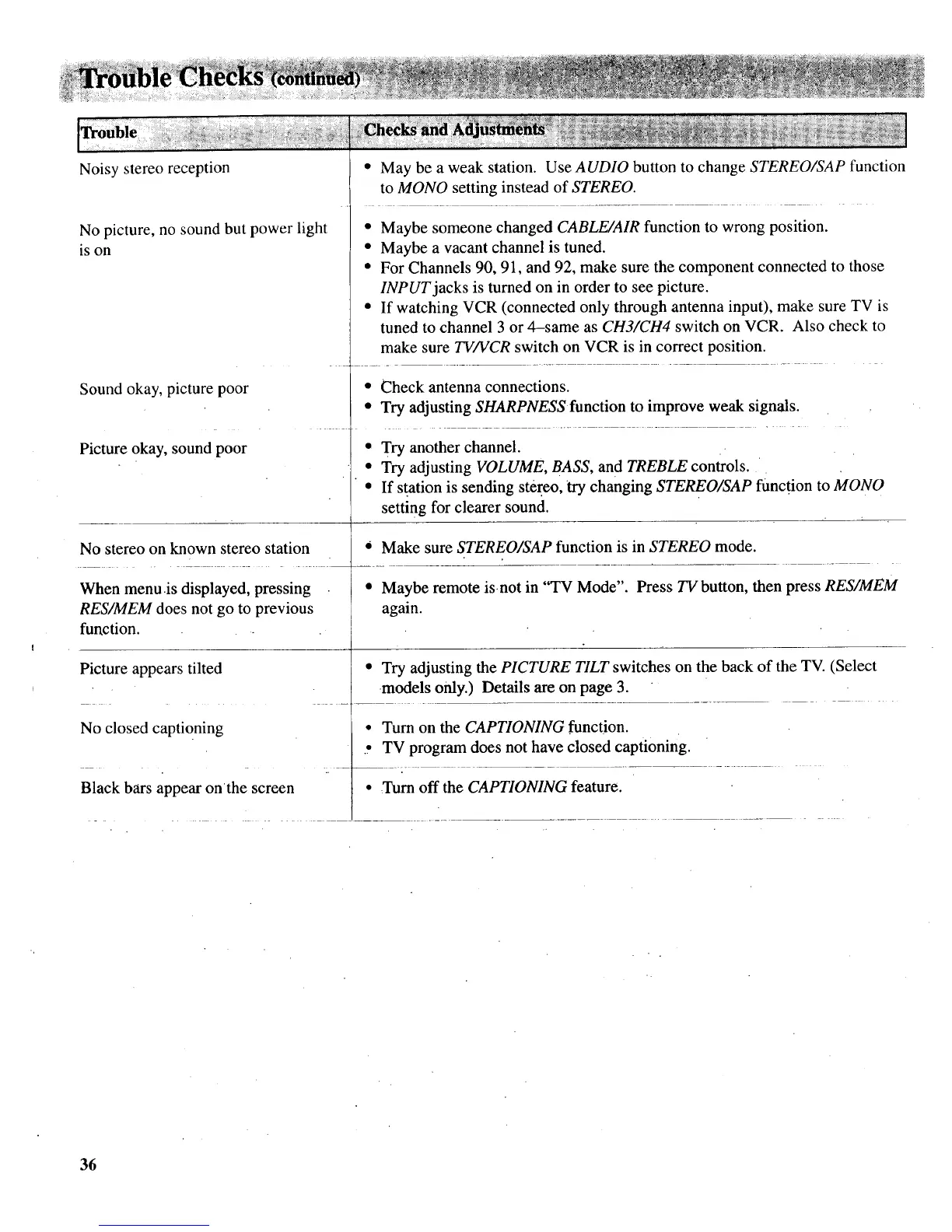
Noisy stereo reception
No picture, no sound but power light
is on
Sound okay, picture poor
Picture okay, sound poor
• May be a weak station. Use AUDIO button to change STEREO/SAP function
to MONO setting instead of STEREO.
• Maybe someone changed CABLE/AIR function to wrong position.
• Maybe a vacant channel is tuned.
• For Channels 90, 91, and 92, make sure the component connected to those
INPUT jacks is turned on in order to see picture.
• If watching VCR (connected only through antenna input), make sure TV is
tuned to channel 3 or 4-same as CH3/CH4 switch on VCR. Also check to
make sure TV/VCR switch on VCR is in correct position.
Picture appears tilted
No closed captioning
Black bars appear onthe screen
• Check antenna connections.
• Try adjusting SHARPNESS function to improve weak signals.
• Try another channel.
• Try adjusting VOLUME, BASS, and TREBLE controls.
• If station is sending stereo, _trychanging STEREO/SAP funcl_ion to MONO
setting for clearer sound.
No stereo on known stereo station * Make sure STEREO/SAP function is in STEREO mode.
When menu is displayed, pressing * Maybe remote is. not in "TV Mode". Press TV button, then press RES/MEM
RES/MEM does not go to previous again.
function.
• Try adjusting the PICTURE TILT switches on the back of the TV. (Select
models only.) Details are on page 3.
• Turn on the CAPTIONING function.
.. TV program does not have closed captioning.
L --
• Turn off the CAPTIONING feature.
36



 To Next Page