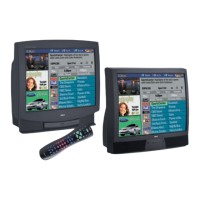
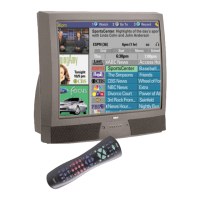
Table of Contents
3
Introduction
Key Features Overview .................................................................................................... 1
On-screen Program Guide ......................................................................................... 1
V-Chip: Parental Controls ........................................................................................... 1
Auto Tuning ................................................................................................................1
Chapter 1: Connections & Setup
Things to Consider Before You Connect .........................................................................6
Protect Against Power Surges ................................................................................... 6
Protect Components from Overheating ................................................................... 6
Position Cables Properly to Avoid Audio Interference ............................................ 6
Important Stand and Base Safety Information ........................................................ 6
Use Indirect Light ....................................................................................................... 6
Connection Pictures ................................................................................................... 6
Demo Pin .................................................................................................................... 6
Choose Your Connection .................................................................................................. 7
Connection: TV + VCR ....................................................................................................... 8
Connection: TV Only......................................................................................................... 9
Connection: TV + VCR + Satellite Receiver ................................................................... 11
The Front of Your TV ...................................................................................................... 12
Jacks on the Back of Your TV ......................................................................................... 13
Why You Should Connect This G-LINK Cable ............................................................... 14
Placing the G-LINK Wands .......................................................................................14
How to Find the Remote Sensor ............................................................................. 14
Complete the Interactive Setup..................................................................................... 16
Set the Menu Language .......................................................................................... 16
Complete Auto Channel Search .............................................................................. 16
The GUIDE Plus+ System Setup ................................................................................ 17
What to Expect ............................................................................................................... 22
Next Steps ....................................................................................................................... 22
Chapter 2: Using the Remote Control
The Buttons on the Remote Control ............................................................................. 24
Using the WHO•INPUT Button ................................................................................25
Programming the Remote to Operate Other Components ......................................... 26
Find Out If You Need to Program the Remote ....................................................... 26
How to Program the Remote .................................................................................. 26
How to Use the Remote After You’ve Programmed It ................................................ 27
Chapter 3: Using the TV’s Features
About the GUIDE Plus+ System ..................................................................................... 30
Downloading Data ................................................................................................... 30
Getting In & Out of the GUIDE Plus+ System ......................................................... 31
The GUIDE Plus+ System Menus ..............................................................................31
Grid Guide ................................................................................................................ 31
Sort ............................................................................................................................33
News .......................................................................................................................... 34



 To Next Page