Setup and Connections
4
Before You Connect
Protect against power surges:
• Connect all components before
plugging any power cords into the wall
outlet.
• Turn off the TV and/or component
before connecting or disconnecting any
cables.
• Make sure all antennas and cables are
properly grounded. Refer to the Safety
Tips sheet packed with your TV.
Step 1: Unpack the TV
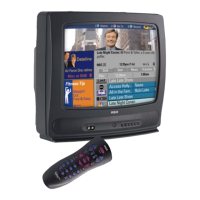
Make sure to locate the remote control.
Step 2: Connect your TV
There are three types of connections outlined in this section:
TV Only: If you’re only going to connect the
TV to your home antenna or cable
system.
The Basic Connection: If you’re going to connect the TV to a
VCR or satellite receiver.
Advanced Connections: If you’re going to make multiple
connections, hooking up the TV to
one or two VCRs, DVD player, and a
satellite receiver.
Cable information and illustrations are given for each type of connection.
Once you have completed your desired connection you may skip forward
to Step 3.
TV Only
This is a basic connection from an antenna or cable system to your TV.
Connect the cable into the Cable/Antenna jack as shown.
Cables
You will use the following cable to make your connection:
Coaxial Cable: These cables carry audio and video
signal to the TV from an antenna, cable, or
cable box.
Once you have completed this connection go to “Step 3:
Connect the G-LINK Cable” on page 9.
TV
RL
G-LINK
P
R
P
B
Y
CABLE, CABLE BOX, OR ANTENNA



 To Next Page