Need help?
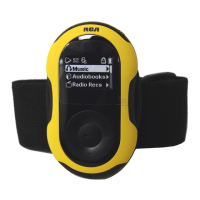
Do you have a question about the RCA Pearl TH1611 and is the answer not in the manual?
Device compliance with Part 15 of FCC rules and potential interference.
Precautions for handling and disposing of batteries.
General precautions for player handling, environment, and cleaning.
Essential safety guidelines for product use and environment.
Further safety advice regarding liquids, ventilation, and heat.
Specific precautions for products operating on batteries.
Step-by-step guide on how to insert the battery.
Instructions for connecting the player to a PC via USB.
Introduction to the RCA EasyRip software for managing media.
Guide to loading music from your PC library to the player.
Steps to power the player on and off.
How to activate and deactivate the control lock feature.
Procedure to reset the player if it malfunctions.
Details the options available in the main Home menu.
How to play music files sorted by artist, album, title, etc.
Describes the buttons for music playback control.
How to play audiobooks and navigate within them.
How to save and retrieve favorite radio stations.
How to record radio broadcasts and copy them to PC.
How to record voice memos using the player's microphone.
How to add music files to a personal favorites playlist.
Common issues and solutions for player operation.
 General
| Brand | RCA |
|---|---|
| Model | Pearl TH1611 |
| Category | MP3 Player |
| Language | English |

 To Next Page