EasyManua.ls Logo

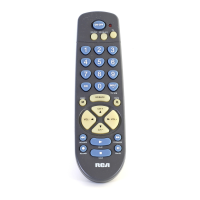
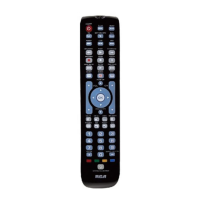
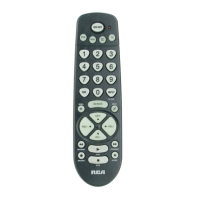
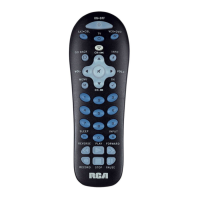
RCA RCR311B - User Manual

RCA RCR311B
48 pages
Print Icon
To Next Page IconTo Next Page
Loading...
universal
UNIVERSAL
Multi-Brand Use
Utilisation multimarque
Funciona con muchas marcas
See back
for most
popular brands.
Liste complète
au verso.
Para obtener
una lista más
extensa, vea
el reverso.
Compatible with today’s
most popular brands.
Compatible avec
les marques les plus
populaires actuelles.
Compatible con las
más populares marcas
de la actualidad.
Consolidates
up to 3 remotes
Dedicated
MENU key for
DVD navigation
Consolide
jusqu’à
3 télécommandes
Touche MENU
dédiée pour la
navigation DVD
Agrupa hasta 3
controles remotos
La tecla dedicada
del MENU soporta
la navegación
del DVD
remote
télécommande
control remoto
Remote
Télécommande
Control Remoto
or
ou
o
ou CÂBLE
SÁTELITE o CABLE
SATELLITE
or CABLE
C
O
N
T
R
O
L
S
C
O
M
M
A
N
D
E
C
O
N
T
R
O
L
C
O
M
P
O
N
E
N
T
S
C
O
M
P
O
S
A
N
T
S
C
O
M
P
O
N
E
N
T
E
S
UP TO
JUSQU’À
HASTA
3
RCR311B

Table of Contents

Other manuals for RCA RCR311B

Questions and Answers

  • L
    Laura FrancoJul 30, 2025
    Why RCA RCR311B Universal Remote is not working?
    • R
      Robert McphersonJul 30, 2025
      Your RCA Universal Remote might not be operating your component for several reasons. First, ensure the remote is in the correct mode by pressing the corresponding component key (TV, VCR•DVD, SAT•CBL). Also, remove any obstacles between the remote and the component, and aim the remote at the IR sensor on the component. Make sure the batteries are fresh and properly installed, replacing them if necessary. Finally, try resetting the remote by removing the batteries, holding the number 1 key for several seconds, reinstalling the batteries, and pressing the ON•OFF key. If it lights up, reprogram the remote; if not, replace the batteries.
  • N
    Nicholas PattonAug 3, 2025
    Why RCA Universal Remote VCR won’t record?
    • D
      dylanyoungAug 4, 2025
      If your RCA Universal Remote controlled VCR won’t record, first make sure the remote is in VCR Mode. Then, verify that the tape is properly loaded in the VCR and that the tape is not write-protected.
  • T
    tfieldsAug 8, 2025
    What to do if RCA Universal Remote is not performing commands properly?
    • S
      Sheila WoodAug 9, 2025
      If your RCA Universal Remote isn't performing commands correctly, ensure it's in the correct mode by pressing the appropriate component key (TV, VCR•DVD, SAT•CBL). Verify that the component is ready (e.g., DVD player has a disc loaded, VCR has a tape). You might have pressed an invalid key for the current mode. If you're turning on an RCA, GE, or PROSCAN component, use the component key instead of the ON•OFF key. When changing channels, press the OK key after entering the channel number. Be aware that a programmed code might only control some of your component's features.
  • K
    Kelly SmithAug 14, 2025
    What to do if RCA Universal Remote will not change channels?
    • M
      Monique SolomonAug 14, 2025
      If your RCA Universal Remote isn't changing channels, make sure the remote is in the correct mode by pressing the corresponding component key (TV, VCR•DVD, SAT•CBL). Try pressing the OK key after entering a channel number. Also, ensure there are no obstacles between the remote and the component, and aim the remote at the IR sensor.
  • A
    andrea42Aug 19, 2025
    Why illuminated ON/OFF key on RCA Universal Remote does not light up?
    • D
      Destiny JonesAug 19, 2025
      If the illuminated ON•OFF key on your RCA Universal Remote doesn't light up, ensure the remote is in the correct mode by pressing a component key (TV, VCR•DVD, SAT•CBL). You may have pressed an invalid key for the remote's current mode. Also, make sure the batteries are fresh and properly installed; replace them if needed and reprogram the remote.
  • M
    mccoyzacharyAug 25, 2025
    What to do if RCA RCR311B Universal Remote component’s menu doesn’t appear on the TV screen?
    • A
      Andrew CannonAug 25, 2025
      If the component’s menu isn’t appearing on the TV screen when using your RCA Universal Remote, first verify that you’ve properly connected your component to your TV and selected the correct input. Ensure the remote is in the correct mode by pressing the corresponding component key (TV, VCR•DVD, SAT•CBL). Note that menu access isn’t supported for all brands.

Summary

Three-Component Universal Remote

Battery Installation and Information

Guide on how to install and replace the two AA batteries required for the remote.

Programming the Remote

Programming Methods Overview

Outlines the four primary methods for programming the remote to operate components.

Direct Code Entry Method

Manual Code Search and Entry Method

Auto Code Search and Entry Method

Using the Remote to Control Components

Troubleshooting Common Issues

Component Operation Problems

Troubleshooting steps for when the remote fails to operate a connected component.

Illuminated ON-OFF Key Not Lighting

RCA RCR311B Specifications

General IconGeneral
BrandRCA
ModelRCR311B
TypeUniversal Remote
Number of Devices Controlled3
Battery TypeAAA
Batteries Required2
Compatible DevicesTV, DVD, VCR
Brand CompatibilityCompatible with most major brands

Related product manuals