4. Insert battery into the
player
A. To insert battery, open the
battery compartment door.
B. Insert 1 “AAA”(LR03) battery with
polarities corresponding to indications
on the compartment.
C. Close the door of the battery
compartment.
Note: Refer to the power level indicator
on display for battery level.
Replace with new battery when the indi-
cator is empty.
5. Inserting a MultiMedia
Card / SD Card (Optional)
The player has built-in flash memory
(64MB for RD1021 / 128MB for RD1071 /
256MB for RD1075). To extend the play-
time, you can use the optional Memory
Card slot.
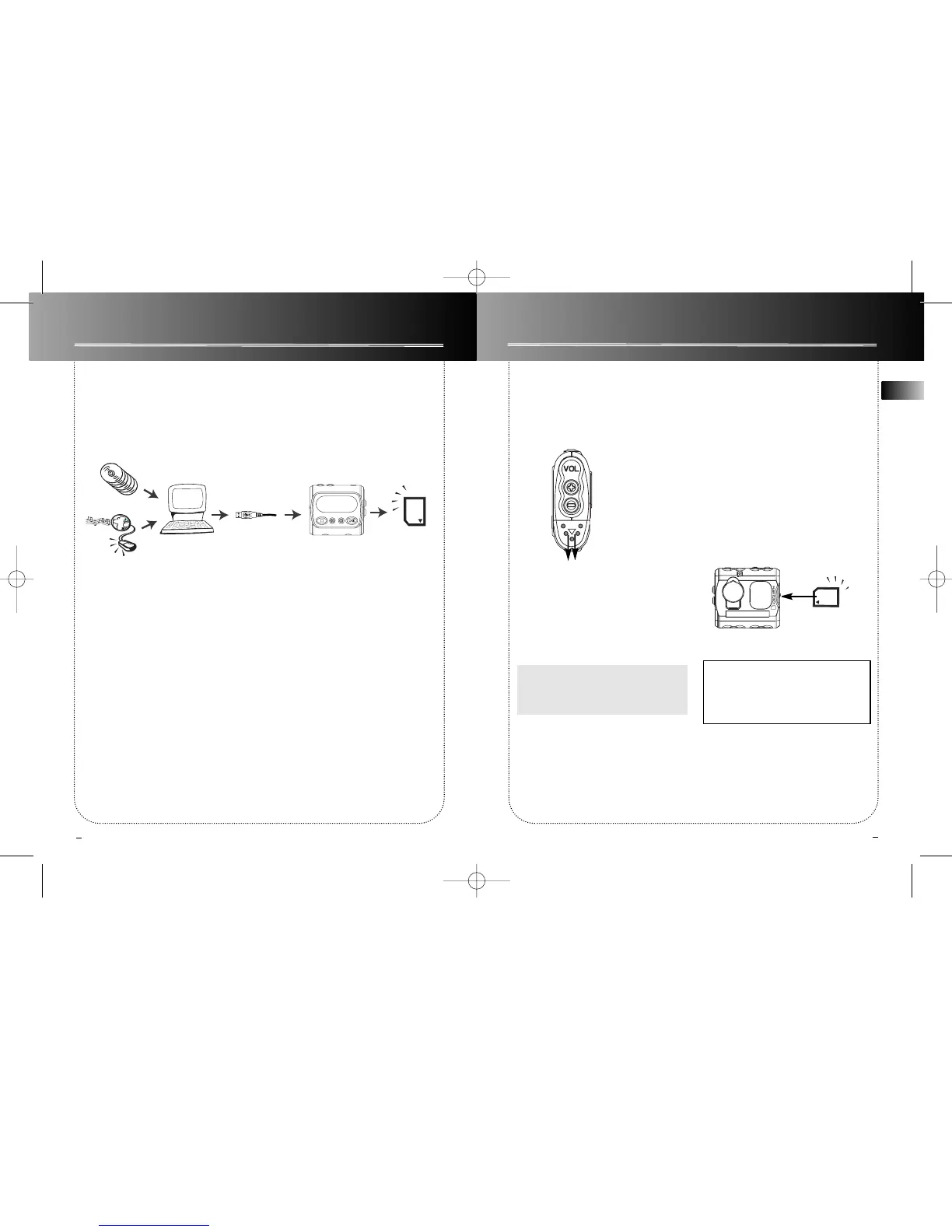
A. Insert a Memory Card into the card
slot when the player is off as the
diagram shows:
B. To remove card, push the Memory
Card to eject.
EN
Before You Begin
Before you Begin
2
3
3. What’s so special about this mp3 player?
This player is meant to play mp3 audio files encoded on a memory card or recorded in
the built-in flash memory.
To do so, you need the use of a Windows computer with USB port , connection cable
(included) and a music management software (MusicMatch Jukebox).


 To Next Page