EasyManua.ls Logo

RCA RLCDV3282A - User Manual

RCA RLCDV3282A
32 pages
Print Icon
To Next Page IconTo Next Page
Loading...
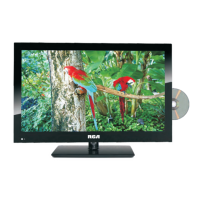
32” LCD Television TV with DVD
MODEL: RLCDV3282A

Questions and Answers

  • J
    Jennifer MartinezJul 31, 2025
    How to troubleshoot no power on my RCA TV DVD Combo?
    • C
      Cynthia CareyJul 31, 2025
      If your RCA TV DVD Combo isn't powering on, start by checking all power connections to the TV. Then, try pressing either the power button or the Standby button on the remote control.
  • M
    Mary MartinezAug 6, 2025
    What to do if RCA TV DVD Combo does not respond to remote control?
    • W
      William WrightAug 6, 2025
      If your RCA TV DVD Combo does not respond to the remote control, first check if there is any obstruction between the remote control and the unit. Then, check if the remote control is within the range of operation. Finally, check if the batteries in the remote control are weak or exhausted.
  • Q
    quinnkeithAug 12, 2025
    Why is there no picture or sound on my RCA TV DVD Combo?
    • J
      Jack CookAug 12, 2025
      If your RCA TV DVD Combo has no picture or sound, first ensure that the TV is plugged in and the power is on. Next, ensure that the antenna is connected. If the issue persists, try tuning to a different program.
  • M
    mwagnerAug 18, 2025
    How to improve poor picture quality on RCA TV DVD Combo?
    • D
      Desiree WilliamsAug 18, 2025
      If the picture quality on your RCA TV DVD Combo is poor, begin by checking the antenna connections. Then, check if the channel is tuned in properly. You can also adjust the picture settings such as brightness, color, sharpness, contrast, or hue. Lastly, make sure that the TV is not located close to electrical appliances that may emit radio frequency interference.
  • C
    Clifford SchmidtAug 25, 2025
    Why is there no color on my RCA TV DVD Combo?
    • N
      nicholashooverAug 26, 2025
      If your RCA TV DVD Combo has no color, first adjust the color setting. Then, check if the program you are watching is in color. Finally, verify if the channel is tuned properly.

Summary

Caution and Safety Symbols

Safety Symbols and Compliance Information

Explains warning symbols, WEEE disposal, and compliance with safety directives.

Safety Information

Electrical Safety Precautions

Details electrical safety, avoiding overload, plug handling, and precautions in wet areas.

Physical Safety Precautions

Covers ventilation, screen handling, remote control care, and cleaning advice.

Basic Operation

Powering the TV On and Off

Instructions for turning the TV on and off using the power button.

Input Source Selection

How to select different input sources like TV, HDMI, PC, etc.

OSD Menu Navigation

Explains how to navigate and interact with the On-Screen Display menus.

OSD Menu Operations

DVD Operation

OSD Menu: Default Settings

Simple Troubleshooting

Troubleshooting Common Issues

Guides users through resolving common problems like no power, picture, sound, or remote response.

RCA RLCDV3282A Specifications

General IconGeneral
Screen Size32 inches
Display TechnologyLCD
Built-in DVD PlayerYes
Resolution1366 x 768
Aspect Ratio16:9
Contrast Ratio1000:1
InputsHDMI, Composite
Supported DVD FormatsDVD, CD, CD-R/RW

Related product manuals