Using the CD Player
EN
10
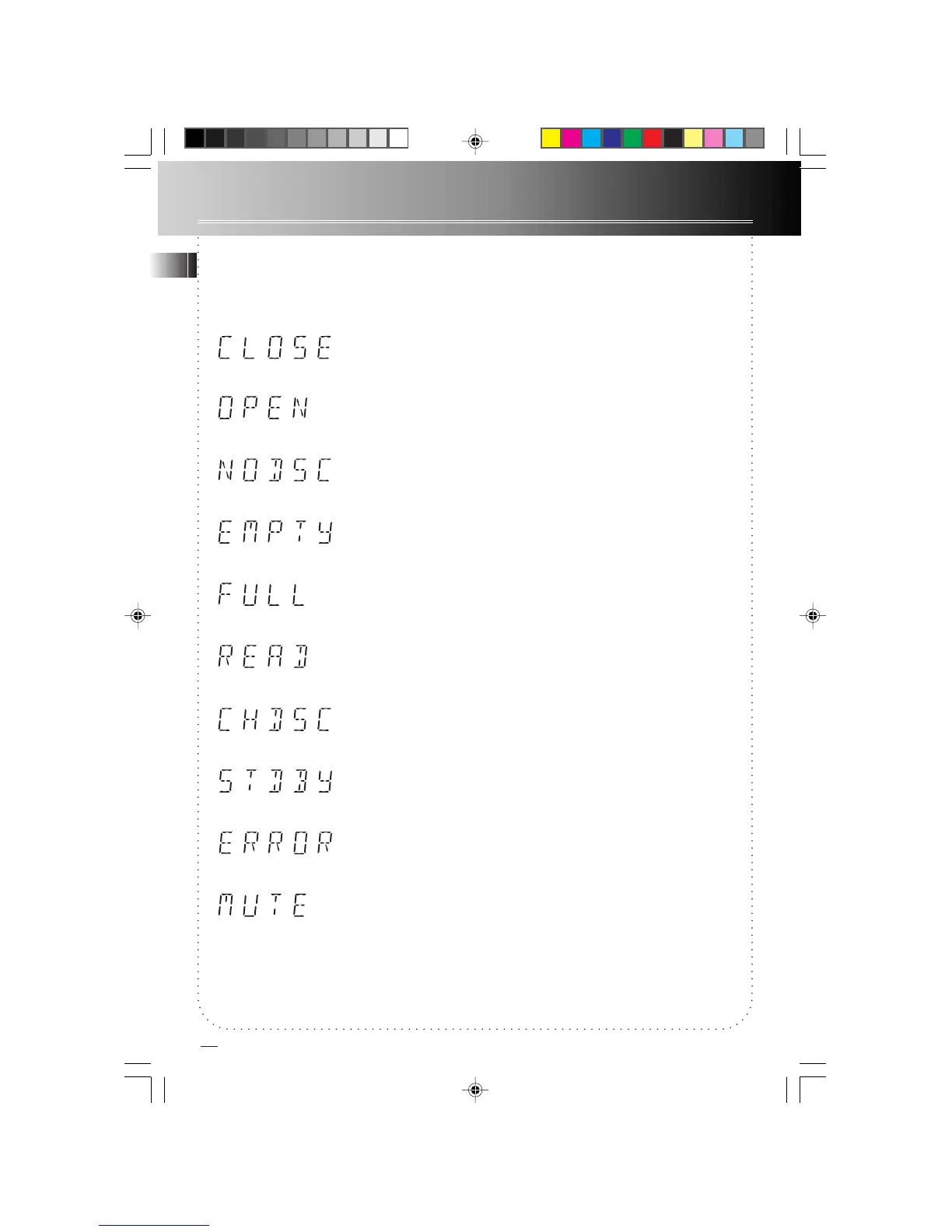
CD compartment tray is in.
CD compartment tray is out.
No disc is loaded onto the CD compartment tray.
No tracks are programmed (applies to both Program and ATS mode).
Program is full (applies to both Program and ATS mode).
Reading disc’s table of contents (how many tracks there are and the
total time for the disc). This information is displayed when the unit is
in Stop mode.
Disc change in process.
Unit is in Standby mode
Obstruction to the opening and/ or closing of CD compartment tray. (
Prevent obstruction and press OPEN/ CLOSE to close tray.)
Sound output of the unit is temporarily suspended. ( Press MUTE on
the remote control to cancel Mute. )
CD Display Messages
When using the CD function, you may encounter the following messages:
RP8070 IB rev3 8/14/01, 5:00 PM11


 To Next Page