This document is a user guide for the RCA Roku TV models RTR4060-US and RTR4061-CA. It provides instructions for setup, usage, troubleshooting, and safety information for the television.
Function Description
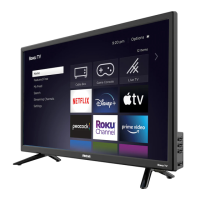
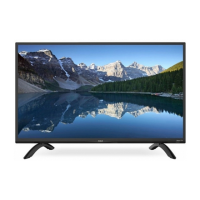
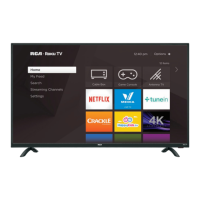
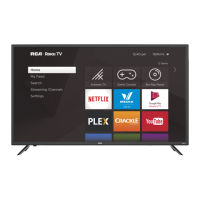
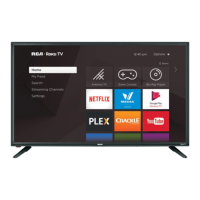
The RCA Roku TV is a smart television that integrates the Roku streaming platform, allowing users to access a wide variety of streaming channels, live TV (via antenna), and connect external devices such as game consoles and Blu-ray players. The Roku interface provides a centralized home screen for easy navigation to different inputs and streaming services like Netflix, Plex, Crackle, YouTube, and Google Play Movies & TV. The TV supports both wired and wireless internet connectivity for streaming content.
Important Technical Specifications
- Models: RTR4060-US / RTR4061-CA
- Dimensions (W x H x D):
- Without Stand: 36.6 x 21.7 x 3.6 inches (929 x 552 x 91 mm)
- With Stand: 36.6 x 23.4 x 7.7 inches (929 x 594 x 196 mm)
- Weight:
- Without Stand: 14 lbs (6.4 kg)
- With Stand: 14.3 lbs (6.5 kg)
- Active Screen Size (Diagonal): 40 inches
- Screen Resolution: 1920 x 1080 (Full HD)
- Audio Power: 8 W + 8 W
- Power Consumption: 65 W
- Power Supply: 100-120 V ~ 60 Hz
- Refresh Rate:
- HDMI Input: 480i / 60Hz, 480p / 60Hz, 720p / 60Hz, 1080i / 60Hz, 1080p / 60Hz
- Receiving Systems:
- Analogue: NTSC
- Digital: ATSC / QAM
- Ports:
- 3 HDMI ports (1 with ARC support)
- 1 USB port
- 1 Optical Output
- 1 RF input (Antenna TV)
- 1 Earphone Audio Output
- RCA Composite Video input (1 left/right Audio Input for Composite)
- Other Features: Smart TV, Dynamic contrast picture, VESA standard wall mount support.
- Operating Temperature: 5°C to 35°C
- Operating Humidity: <80%
- Storage Temperature: -15°C to 45°C
- Storage Humidity: <90%
- Wireless LAN Adapter: Built-in TV set
- Security System for Wireless: WPA, WEP, WPA2
Usage Features
- Roku TV Platform: Provides a user-friendly interface for accessing streaming content, live TV, and connected devices.
- Home Screen: Centralized hub for navigating to "My Feed," "Search," "Antenna TV," "Game Console," "Blu-Ray Player," "Streaming Channels," and "Settings."
- Connectivity: Supports various input types including HDMI, AV (composite), antenna, and USB for connecting external devices.
- Audio Output: Features an optical output for digital sound bars/receivers, an earphone jack for headphones, and HDMI ARC for compatible audio systems.
- Wireless and Wired Internet: Built-in wireless LAN adapter for Wi-Fi connectivity and an Ethernet port for wired internet access.
- Remote Control: Comes with a Roku TV remote control. Specific Roku channels may not be available depending on the country. The remote includes quick launch buttons for certain channels.
- Mounting Options: Can be placed on a stand (included) or mounted on a wall using a VESA-compatible bracket (not included).
- User Guide Access: A detailed PDF user guide is available online at http://go.roku.com/tvmanual, providing comprehensive instructions and troubleshooting.
Maintenance Features
- Cleaning: The TV should be cleaned only with a dry cloth.
- Ventilation: Ensure ventilation openings are not blocked to prevent overheating.
- Power Cord Protection: Protect the power cord from being walked on or pinched.
- Unplugging: Unplug the apparatus during lightning storms or when unused for long periods.
- Servicing: Refer all servicing to qualified service personnel. Servicing is required if the apparatus is damaged, exposed to moisture, or does not operate normally.
- Safety Precautions: Adhere to all safety instructions provided in the manual, including warnings about electric shock, heat sources, and proper handling.
- Troubleshooting Guide: The manual includes an FAQ section to help users diagnose and resolve common issues such as no picture, no sound, network connectivity problems, and remote control unresponsiveness.
- Warranty Information: The device comes with a limited product warranty and terms of warranty, outlining conditions for service and repair. Customers are advised to visit www.rcadisplayvu.com for additional information and to contact customer service for assistance.

 Need help?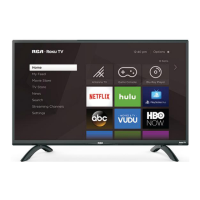


 To Next Page
 General