
 Need help?
Do you have a question about the RCA RTRU5527-US and is the answer not in the manual?
This document describes the RCA Roku TV, models RTRU5527-US and RTRU5528-CA, which functions as a smart television with integrated Roku streaming capabilities. It offers a comprehensive entertainment experience, combining traditional television viewing with access to a wide array of streaming content.
The RCA Roku TV models RTRU5527-US and RTRU5528-CA share several key technical specifications. Both models feature a 54.6-inch active screen size (diagonal) with a 4K Ultra HD resolution of 3840 x 2160, providing sharp and detailed visuals. The audio power is rated at 8 W + 8 W, delivering clear sound for an immersive viewing experience. The rated power consumption is 150 W, and the standby power consumption is less than 0.5 W. The refresh rate supports various resolutions and frequencies, including 480i / 60Hz, 480p / 60Hz, 720p / 60Hz, 1080i / 60Hz, 1080p / 60Hz, and 2160p / 60Hz, ensuring compatibility with diverse video sources.
For connectivity, the TVs are equipped with multiple ports. They include 3 HDMI ports, 2 USB ports, 1 LAN port for Ethernet, 1 Optical Output, 1 RF Input, 1 Earphone Audio Output, 1 RCA Composite Video Input, and 1 Left/Right Audio Input for Composite. These options allow for connecting a variety of external devices such as gaming consoles, sound systems, and other media players. The receiving systems support Analogue (NTSC) and Digital (ATSC) signals, enabling reception of both traditional broadcast and digital over-the-air channels.
In terms of physical dimensions, the TV without the stand measures 49.0 x 28.5 x 3.5 inches (1244 x 724 x 90 mm) and weighs 29.8 lbs (13.5 kg). With the stand, the dimensions are 49.0 x 30.5 x 8.7 inches (1244 x 775 x 220 mm), and the weight is 30.9 lbs (14 kg). These specifications highlight a relatively slim profile for a large-screen television.
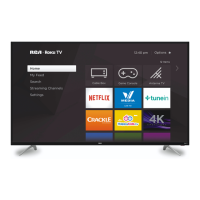
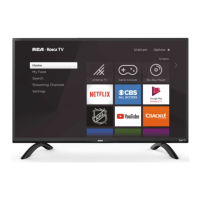
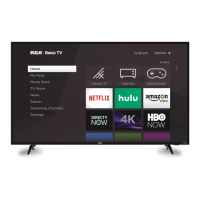
The RCA Roku TV is designed for ease of use, integrating the Roku platform directly into the television. This allows users to access a vast library of streaming channels, including popular services like Netflix, Hulu, and YouTube, directly from the TV's home screen. The intuitive interface features a simple menu with options for "Home," "My Feed," "Search," "Streaming Channels," and "Settings."
Connecting to various sources:
Internet Connectivity: The TV supports both wired (Ethernet) and wireless (Wi-Fi) internet connections. For wired connections, a LAN port is available. For wireless, the TV includes a built-in wireless LAN adapter. Users can connect to their home network via a wireless router/modem, enabling access to streaming content and online features. The TV supports WPA, WEP, and WPA2 security protocols for wireless connections.
Remote Control: The TV comes with a Roku TV remote control, which is designed for simplicity. It provides quick access to streaming channels and essential TV functions. The remote requires batteries, which are inserted into a compartment on the back.
Mounting Options: The TV can be placed on a stand using the provided legs or mounted on a wall using a VESA-compatible wall mount bracket (sold separately). The stand installation involves attaching two legs to the bottom of the TV with screws. For wall mounting, specific instructions for the bracket and TV are provided, including VESA dimensions (400 x 200 mm) and screw size (M6).
Roku TV User Guide: A detailed user guide in PDF format is available online at go.roku.com/tvmanual, providing comprehensive instructions on setting up and using the RCA Roku TV.
The manual emphasizes several maintenance and safety guidelines to ensure the longevity and safe operation of the RCA Roku TV.
General Safety Instructions:
Troubleshooting: The manual includes a "FAQ" section to help users diagnose and resolve common issues. This section covers problems such as:
FCC Statement: The device complies with Part 15 of the FCC Rules, ensuring that it does not cause harmful interference and accepts any interference received. Modifications not approved by the manufacturer could void the user's authority to operate the equipment.
Service and Warranty Information: The product comes with a limited product warranty. For service assistance, customers are directed to call 1-800-968-9853. The warranty covers defects in materials and workmanship for one year from the date of purchase. Exclusions apply to damages caused by improper use, accidents, or unauthorized modifications. For warranty claims, customers need to provide proof of purchase and may need to obtain a return authorization number.
Environmental Considerations: The manual advises against disposing of the TV in general waste. Electronic devices should be recycled responsibly to prevent environmental harm.
By following these guidelines, users can ensure the safe, efficient, and long-lasting operation of their RCA Roku TV.


 To Next Page
 General