ANT.
3 CH. 4
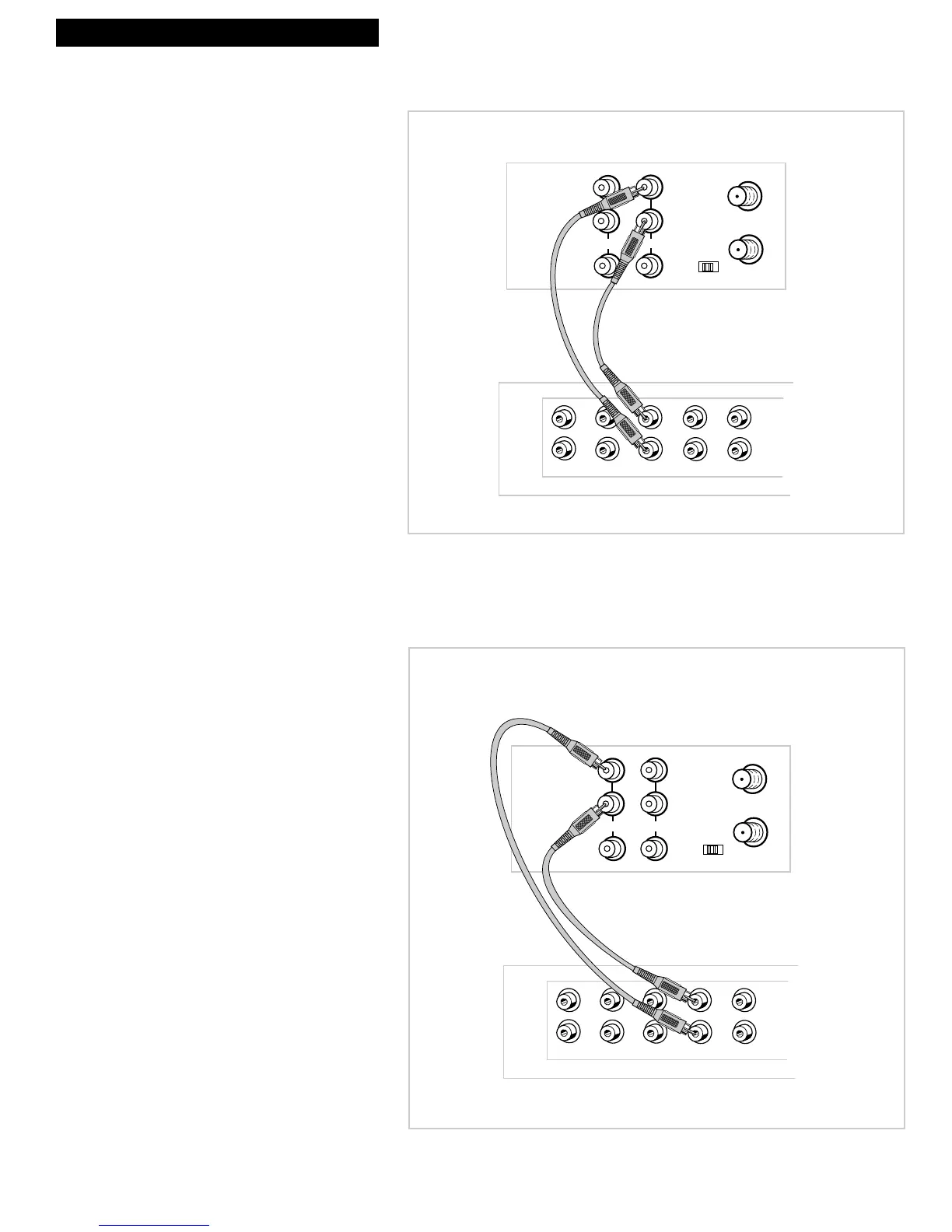
Record on the VCR from an
amplifier/receiver.
Connect your VCR to a stereo amplifier/
receiver to record stereo audio.
1. Select a hookup from pages 2 through 5
and then modify with this connection.
2. Connect as shown.
This connection requires additional accessories
not provided.
3. Plug in power cords of amplifier/
receiver, VCR, and TV.
4. See ÒRecording Audio OnlyÓ on page 25.
Select the line input on the VCR to receive the
audio signal from the amplifier/receiver.
Play back stereo tapes or
receive a stereo broadcast
through an amplifier/receiver.
Connect your VCR to a stereo
amplifier/receiver to receive stereo
broadcasts or play back stereo tapes.
1. Select a hookup from pages 2 through 5
and then modify with this connection.
2. Connect as shown.
This connection requires additional accessories
not provided.
3. Plug in power cords of amplifier/
receiver, VCR, and TV.
4. See ÒPlayback OperationÓ on page 19.



 To Next Page